Unplug
5 min
What Is the 3 6 9 12 Rule for Screen Time?
Being a parent in 2026 isn’t easy. When you’re overwhelmed, exhausted, on edge, or simply unavailable, screens can start to look like the magic solution.

You turn on a screen, hand over a tablet or smartphone (maybe some nursery rhymes on YouTube, a quick cartoon, or an “educational app”), or switch on the TV with a fast-paced cartoon designed to grab every bit of your child’s attention… and finally, you breathe.
So, is this 2.0 babysitter a stroke of genius — or a poisoned gift? Let’s help you see things more clearly.
But wait, not so fast! I’m Laureline. I’m an interface designer, and for nearly 10 years I’ve been working on the problematic use of smartphones (since the concept of addiction still isn’t officially recognized by the WHO). For the past four years, I’ve been working on the app Jomo, which I co-created with Thomas, its developer. We’ve written many articles on this topic, and we’ll keep writing them as long as the issue remains relevant. So if this interests you as much as it does us, feel free to explore our blog. Otherwise, enjoy the read!
The 2.0 Nanny: The Poison of the 21st Century
Let’s be honest: putting a child in front of a screen works. And it works really well. They go quiet, they stop moving. You can finally breathe and do what you needed to do, in peace and quiet.
This kind of nanny is cheap, and incredibly convenient. It temporarily solves a lot of problems, and on top of that, kids love it. So what’s the issue? At first glance, it seems like there are only upsides. Well, here’s the thing: that’s the trap.
When a Child’s Brain Isn’t Ready
We won’t go into the full details of human development, but one thing is obvious: for a child to grow in healthy conditions, they need to move, explore, touch everything, and interact with other people. That’s how they learn to understand their environment, navigate it, and develop within it.
But when you place a developing child in front of a screen, you cut them off from that entire world. Instead, they’re exposed to very fast images, bright light, and highly stimulating sounds. Essentially, they make no mental effort anymore. They become completely absorbed—pulled into the content being served to them.
And it feels magical. Suddenly they’re fully focused, completely still. They might even laugh at what they’re watching. It seems like it’s good for them.
But it’s not.
In those moments, the child is in a state of passive hyperstimulation. In other words, their brain is being intensely stimulated, but paradoxically, it isn’t producing anything. It learns to receive huge amounts of stimulation without having to do anything in return. It’s a form of neurological immobilization.
You can probably see where the problem starts.
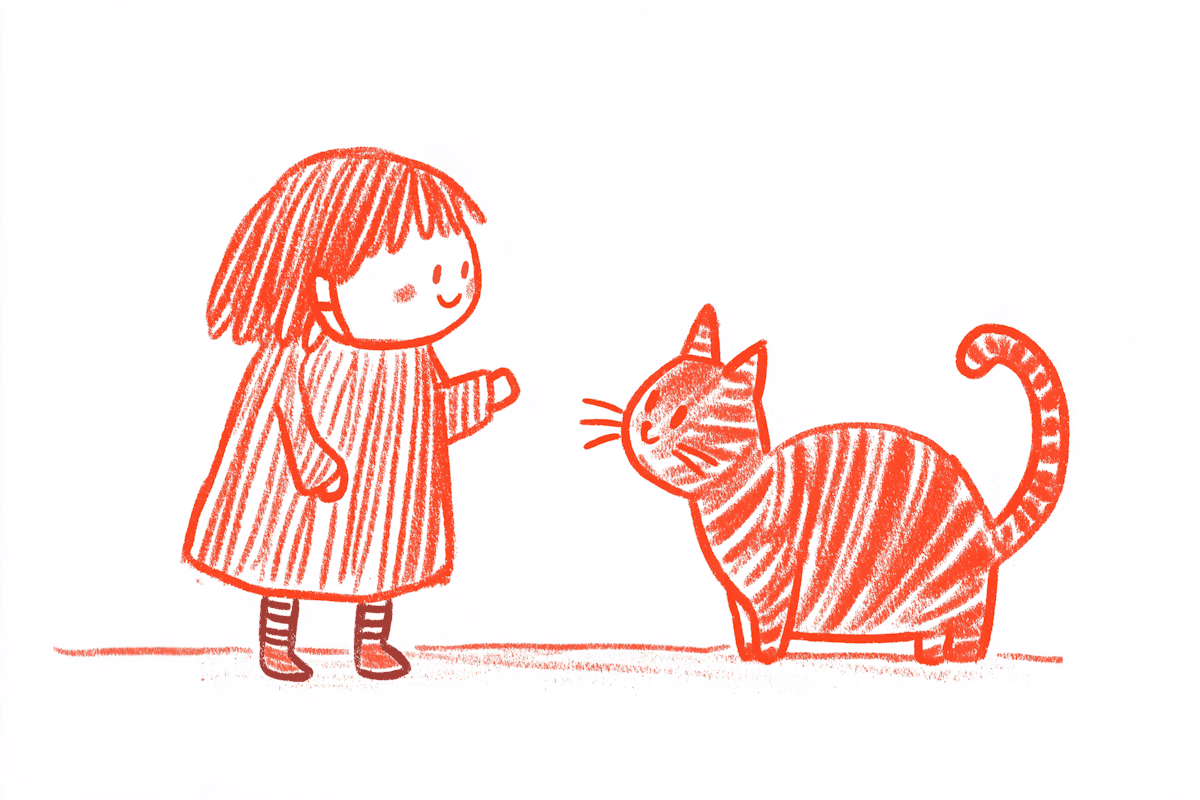
©️ Art by Steph Meade
When Everything Starts To Feel Too Slow, Too Dull, Too Difficult
Yes, this is the other side of the coin. It’s a bit like us adults: when we constantly feed ourselves ultra-stimulating, fast-paced content, the moment we look up from it, everything else suddenly feels slow… and a bit boring. Making an effort feels unpleasant, there’s no immediate reward… so we’d rather just stay in front of the screen a little longer.
As adults, we can usually manage that frustration. But for a child, it’s much harder. You may have already experienced it yourself: without screens, your child might become more restless, have a shorter attention span, feel more irritable, struggle to keep themselves busy, or even have trouble playing alone.
That’s the price of easy silence. A new, highly addictive medium that temporarily hijacks a child’s attention system, but often leaves you with a child who becomes more and more difficult to manage over time.
But What About “Educational Apps”? Aren’t They Stimulating for My Child?
These apps will never replace you, dear parents. Your child is yours, and it’s your role to teach them about the world.
Yes, these apps do teach certain things: how to tap, swipe, recognize shapes, words, colors, and so on. But they teach all of this in a flat, two-dimensional environment, not in the real, physical world.
A child needs to interact with reality, to manipulate objects, to explore freely according to their own needs (not according to presets programmed into an app), to talk, to imagine, to create.
Take puzzles, for example. An educational app offering digital puzzles will never provide what a real, physical puzzle can. The app mostly delivers quick stimulation with immediate rewards. A physical puzzle, on the other hand, teaches patience, develops fine motor skills, and helps build strong concentration.
In the end, it comes down to a choice: how do you want to raise your child? What do you want them to develop in the long run — versus what you gain for yourself in the moment.
“But if everyone does it, it can’t be that bad.”
Just because everyone does something doesn’t mean it’s a good idea. What we’re seeing today is that modern life is more exhausting: long workdays, lots of time lost to scrolling, constant distractions and mental overload. The result? Parents are exhausted and choose the easiest solution available.
And it’s socially accepted, mostly because people still don’t fully understand the long-term effects. We’re starting to see learning difficulties in some children who are heavily exposed to screens, but the research is still emerging.
Screens have become a modern pacifier. Parents aren’t negligent—they’re just using what’s readily available. “If it’s there, why not use it?”
[IMAGE]
The 3-6-9-12 Rule
Let’s be honest: sooner or later, every child will encounter screens. The goal is to introduce them thoughtfully, gradually, and in a way that matches the child’s age and needs.
This is exactly what French child psychiatrist Serge Tisseron proposed. He created a set of recommendations to guide screen use at key ages: 3, 6, 9, and 12.
Before age 3 = no screens
Children simply don’t need screens at this stage. Their brain is under intense development. They need to touch things, move their bodies, explore the real world, and interact with people.
Screens offer nothing useful at this age and can even disrupt attention, language development, and sleep.
So before age 3: zero screens. Prioritize free play, books, and human interaction.
Before age 6 = no personal console
Screens can start to be introduced—but only lightly and always with an adult present. Avoid turning on a cartoon and leaving the child alone while you do something else.
It’s also not recommended for a child to have their own device, use screens alone, or play independently on them.
Screens can exist, but they should remain a shared and occasional activity, not a refuge or a “digital babysitter.”
Before age 9 = no internet alone
Children can start exploring the internet and using a computer, but they shouldn’t do it alone in their room. It’s strongly recommended to establish clear rules to guide usage—some families even create a digital charter together.
And it’s worth repeating: as a parent, it’s your job to teach what the internet actually is. Explain both the incredible opportunities it offers and the risks that come with it.
You’re the one who decides what your child is allowed to see, what’s appropriate, and what could put them at risk. The goal isn’t just to learn how to click—it’s to understand how it all works.
Before age 12 = no smartphone
Young adolescents rarely need a smartphone constantly in their pocket, connected 24/7 to platforms where adults are also present—and where we often have very little visibility.
More importantly, before age 12 most children simply aren’t ready. Impulse control is still weak, social comparison is extremely strong (their identity is still forming), and social media can have a huge impact on their self-esteem. At the same time, a developing brain is particularly vulnerable to dopamine-driven feedback loops (like the ones used by apps such as TikTok).
And for parents, it often becomes a constant battle. It’s hard for a child to stay focused on schoolwork when that little device in their pocket lets them chat, watch endless content, or play games instantly.
After age 12 = the question isn’t yes or no, but how much
After 12, banning smartphones entirely often becomes unrealistic. The real question is no longer “Should you allow a smartphone or not?” but rather: how much exposure can your child handle without their brain getting overwhelmed?

So What Do You Do Then?
Because that’s the reality of life: raising kids in a challenging daily routine. So if tomorrow you decide to put screens aside, what do you actually do?
We’ve prepared a small “emergency list” of fun activities you can do with children to help reduce screens as much as possible (or even remove them entirely).
Ages 3 to 6: keep the hands busy to calm the mind
At this age, using their hands often helps regulate their nervous system. The idea is to keep their hands busy so their mind can settle. Here are a few ideas you can use for inspiration:
Modeling clay (be careful with younger children due to choking hazards)
Stickers to place in notebooks (same caution)
Coloring books
Small animals or figurines (like Playmobil, or Duplo for younger kids)
Puzzles with large pieces (12–24 pieces)
If you’re in a public place — train, plane, restaurant, or café:
Drawing (bring the necessary supplies)
Sticking shapes or colors into a notebook
Imagining the lives of the people around you
Ages 6 to 9: Engage the Imagination
At this age, children are usually able to stay focused on activities, especially creative ones. Here are some ideas:
A notebook and pencils (blank pages, comics, mazes, coloring pages)
A small book
Card games (UNO, War, etc.)
Origami (all you need are square sheets of paper)
Riddles or guessing games
If you’re in a public place — train, plane, restaurant, or café:
Drawing (for example: “Draw our day as a comic strip”)
Specific origami to make (frog, boat, swan, etc.)
Solitaire (you only need a deck of cards)
Ages 9 to 12: Stimulate the Brain
At this age, children can read, think, and start developing their own reasoning. The goal is to keep them engaged in healthy ways while helping them grow. Here are some ideas:
Reading a book (a series works even better)
Puzzle books (Sudoku, crosswords, kids’ riddles…)
Mechanical brain teasers
A drawing notebook
Audiobooks (using controlled devices — even an old iPod Nano can do the job)
If you’re in a public place — train, plane, restaurant, or café:
Solving riddles (from games, books, or ones you invent)
Imagining the lives of people around you
Small brain teasers (for example, the infinity 8 puzzle — it takes almost no space)
For Ages 12 and Up
To help regulate screen use, there are generally two options:
Parental controls. These work well for younger kids. They give you full visibility into their activity and allow you to limit screen time directly. The main drawback is this: you have control now, but what happens when your child is 17? Will they have developed independence, or will they still depend on your regulation? And what about their privacy as a teenager? These questions can sometimes create tension at home.
App blockers. These are usually better suited for teenagers or young adults. The goal isn’t control, but helping them build healthy habits and develop good reflexes around their digital usage. You prepare them for adult life without controlling them. You support them without invading their privacy.
Naturally, if you’re looking for a good app blocker, we can only recommend Jomo, available for free on the App Store. There are a few rules we especially like for teenagers:
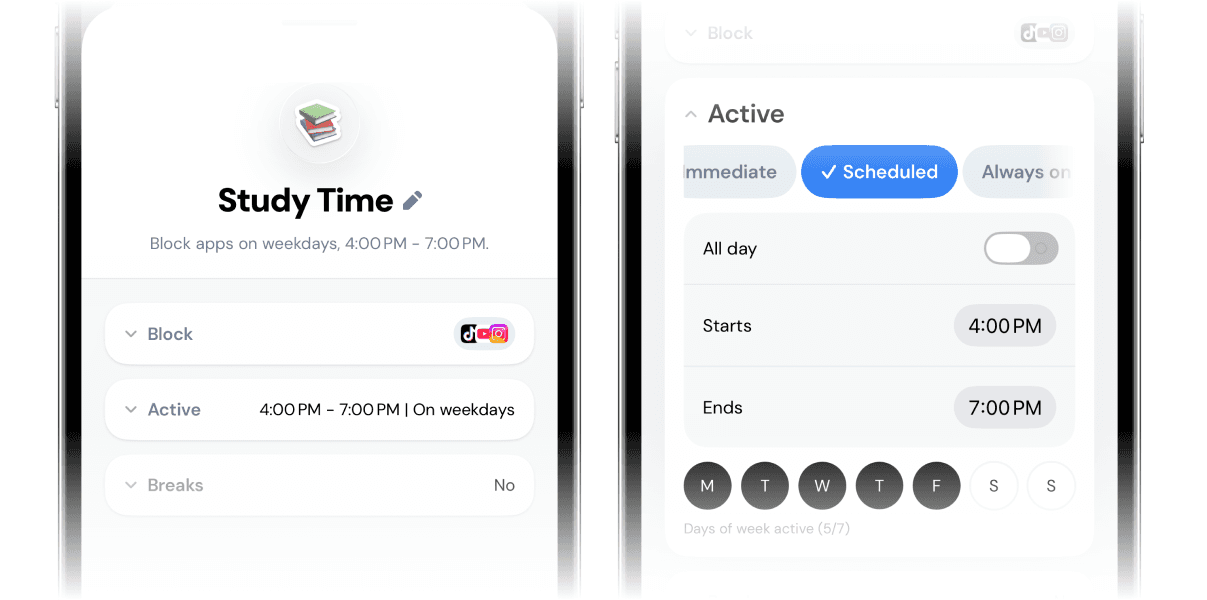
Scheduled sessions. Perfect for blocking apps during homework time, or in the evening to prevent late-night scrolling.
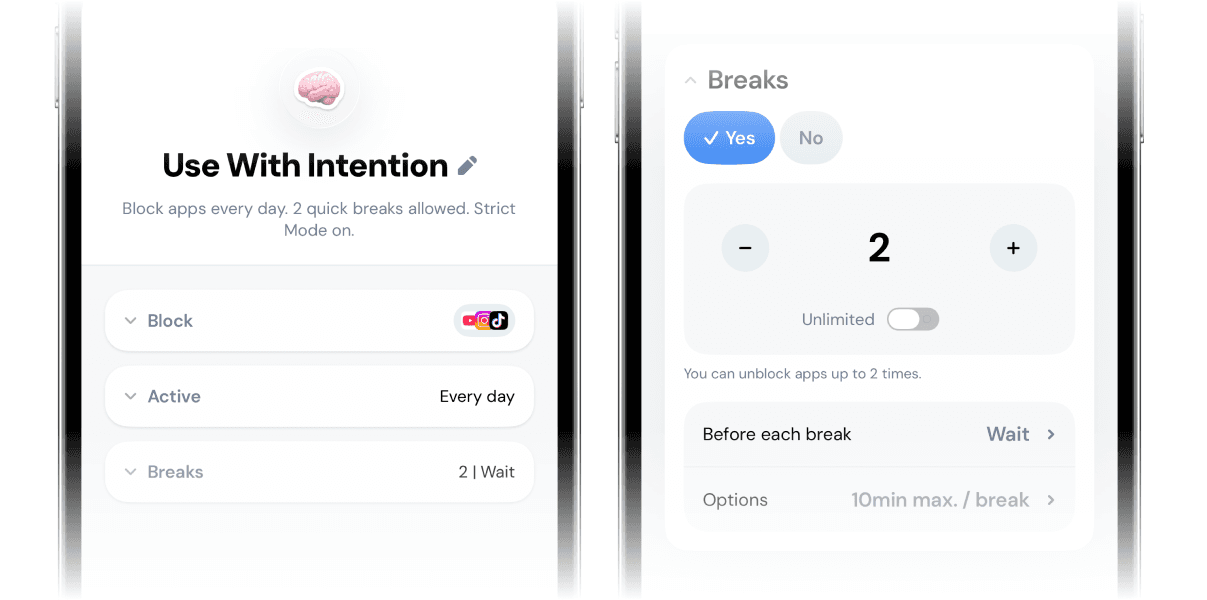
An “Always-On” session (“Use With Intention”). This blocks highly distracting apps and forces the teenager to think about why they want to use the app and whether now is really the right moment. You can limit access to just 2–3 times per day, with sessions of 10–15 minutes each (so around 30–45 minutes per day maximum).
That’s the end of this article. We hope it was helpful.
Feel free to share it with people around you if you don’t have children yourself. And if you’re a parent who manages without screens, don’t hesitate to share your tips with us — we might add them to this (non-exhaustive) list.
Thanks for reading all the way to the end, it truly means a lot. I wrote this article using my own thoughts with a bit of help from the internet. I include sources when I remember them so you can keep exploring the topic. And if you want to try the Jomo app, you can use my referral code FG2HA9 — it gives you 14 days of free access to the paid version.