What's New?
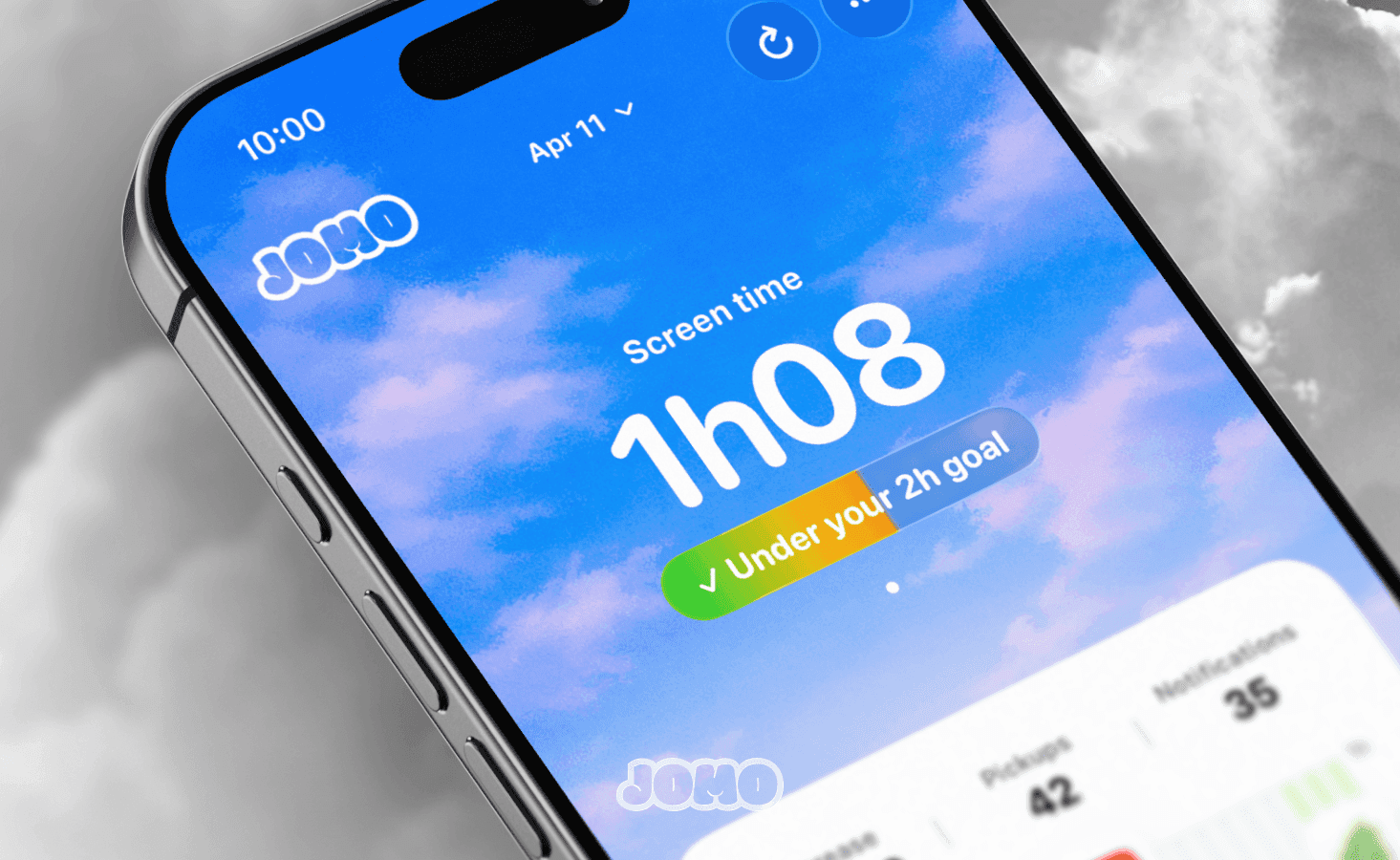
Welcome to Jomo 2.0! ✨
Over the past 6 months, we didn’t fly off to Bali to enjoy life in the sun… nope🫸 We’ve been working behind the scenes on this brand new version of Jomo (and we’re really excited to finally share it with you).
There are a lot of new features… but even more improvements. Let’s start with what’s new!
🔒 Say Hi To Locks
Limiting app usage used to be… confusing. A limit? A session? Use with int… what?
We’ve simplified everything with Locks. To make things clearer, we’ve turned the “Use With Intention” session into a Lock. Simpler. Cleaner.
How it works: Block an app continuously, choose how many times per day you want to use it, and (optionally) what exercise you need to complete before unlocking it. That’s it. No need to overthink it.
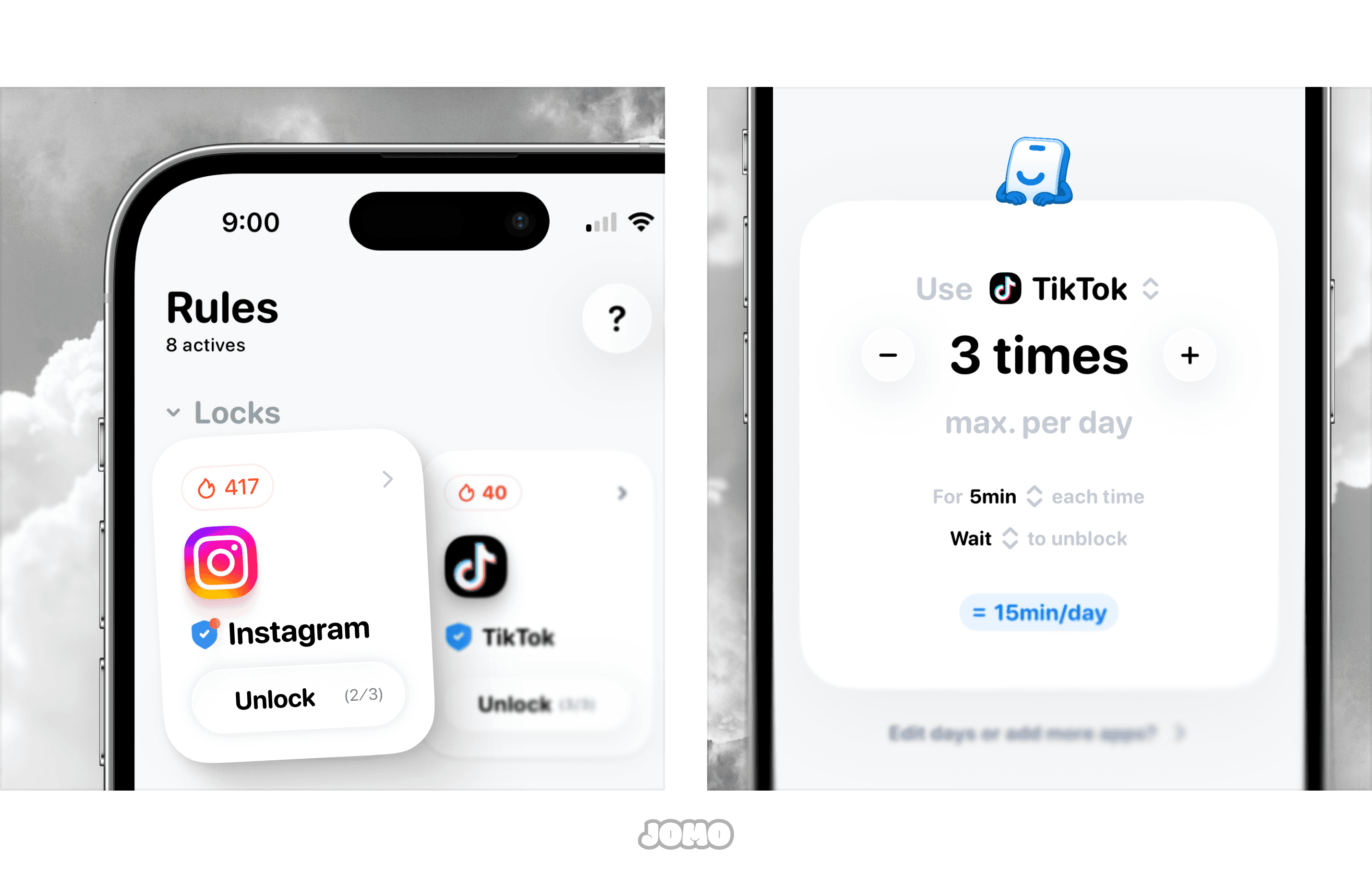
To create your first Lock: tap Start Blocking ▸ Add a lock.
🌷 Introducing Routines
What if completing your to-do list could unlock… screen time? It would be awesome… wait … Is it possible?
YESSSS! With Routines, you can complete habits to unlock apps (or even earn time progressively).
Yes, really. Make your bed or do the dishes → earn 15 minutes on TikTok. Go for a 4km run → unlock Netflix for the evening. Our system is flexible: it adapts to your motivation and how strict you want to be.
Want something simple? Add habits you complete manually (from our list or your own).
Need more discipline? Let our AI verify that you actually did the task before unlocking anything.
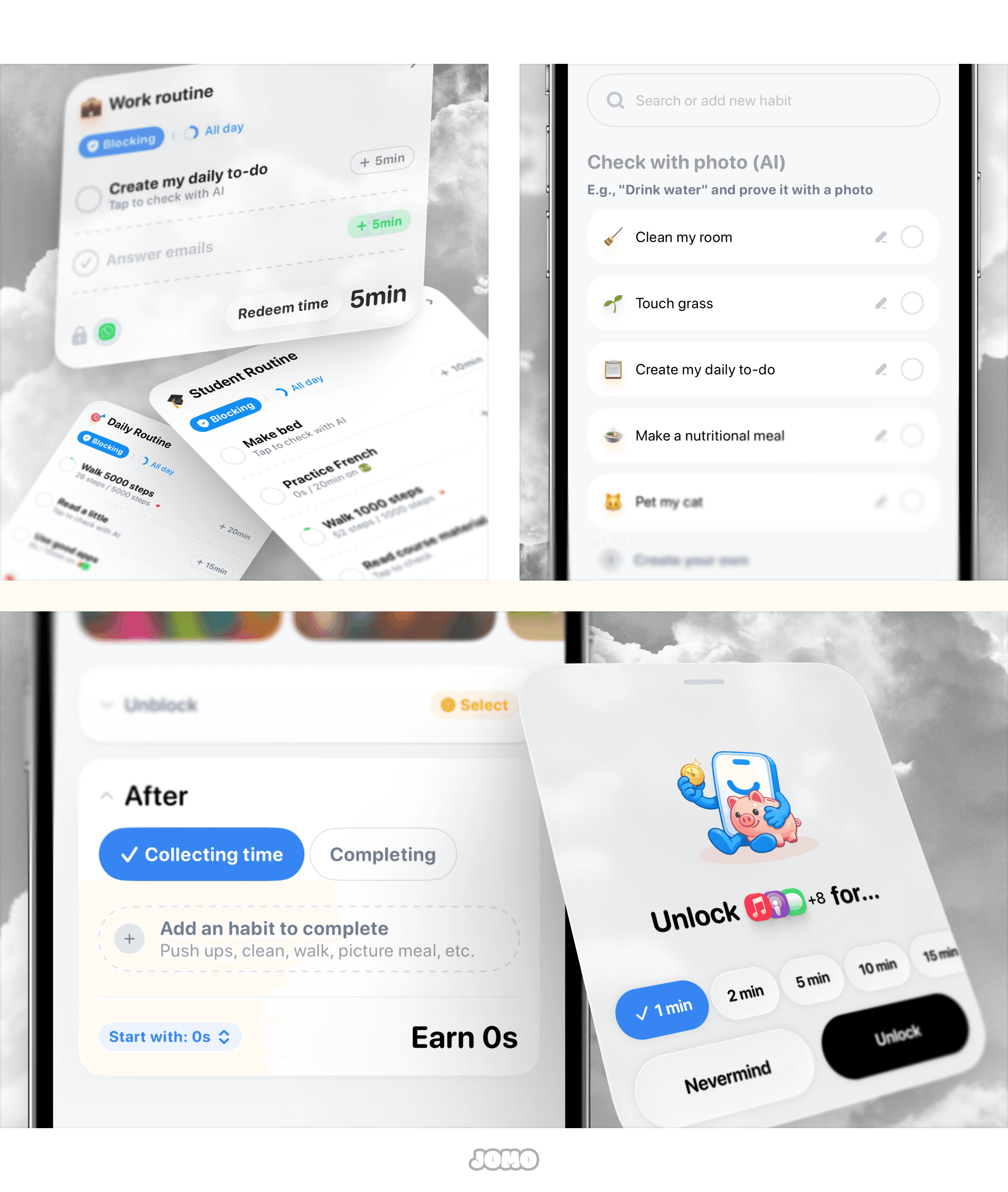
To create your first Routine: tap Start Blocking ▸ Complete habits. Once a habit is validated, you can instantly redeem your earned time.
🏠 A Brand New Home
An app about screen time… that gave a bunch of stuff and … no time 😅 Things had become a bit messy. So we did a proper spring clean.
The new Home is clearer, smoother, and way more enjoyable to use. Everything is finally in the right place (and works together seamlessly). We also redesigned the budget view with a simple progress bar. Stay in the green, stay on track.
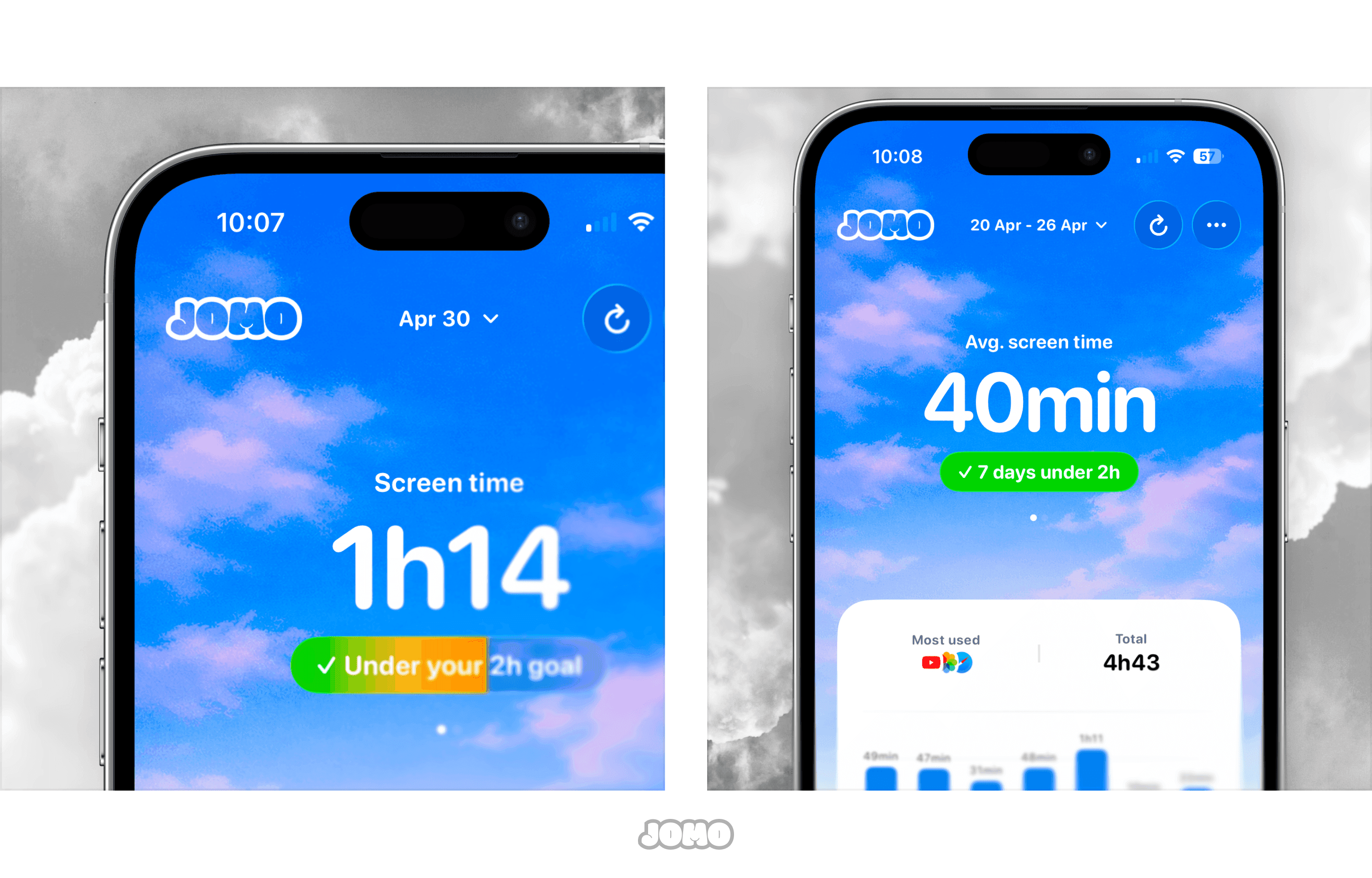
You can now access your weekly report directly from the Home. Tap Today to switch views and explore your data over time.
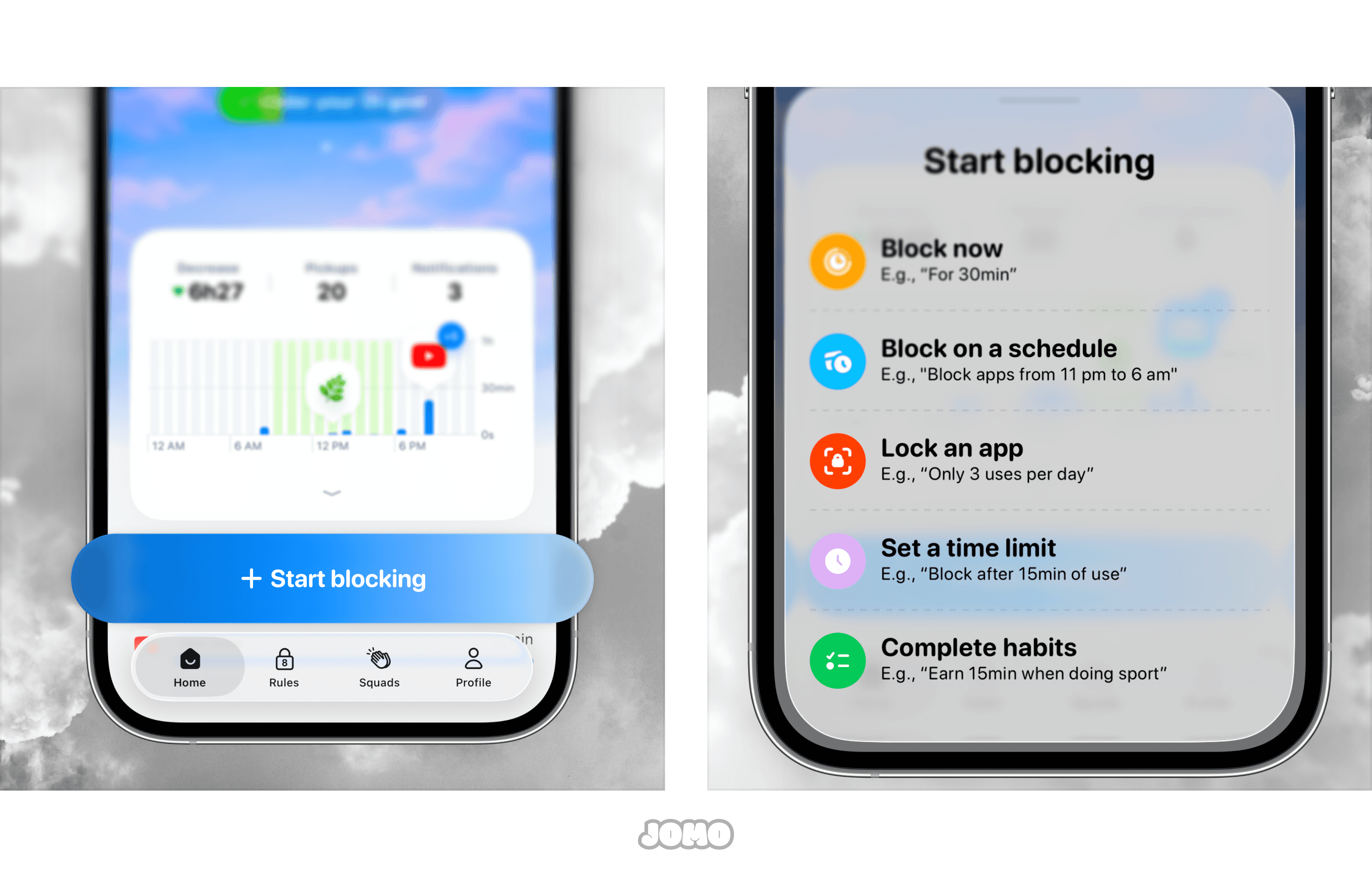
☝️ Blocking in One Tap
Adding a rule used to feel complicated. Confusing titles, too many steps… Not anymore.
We’ve simplified everything with a central Start Blocking button. From the Home or the Rules tab, blocking apps has never been easier.
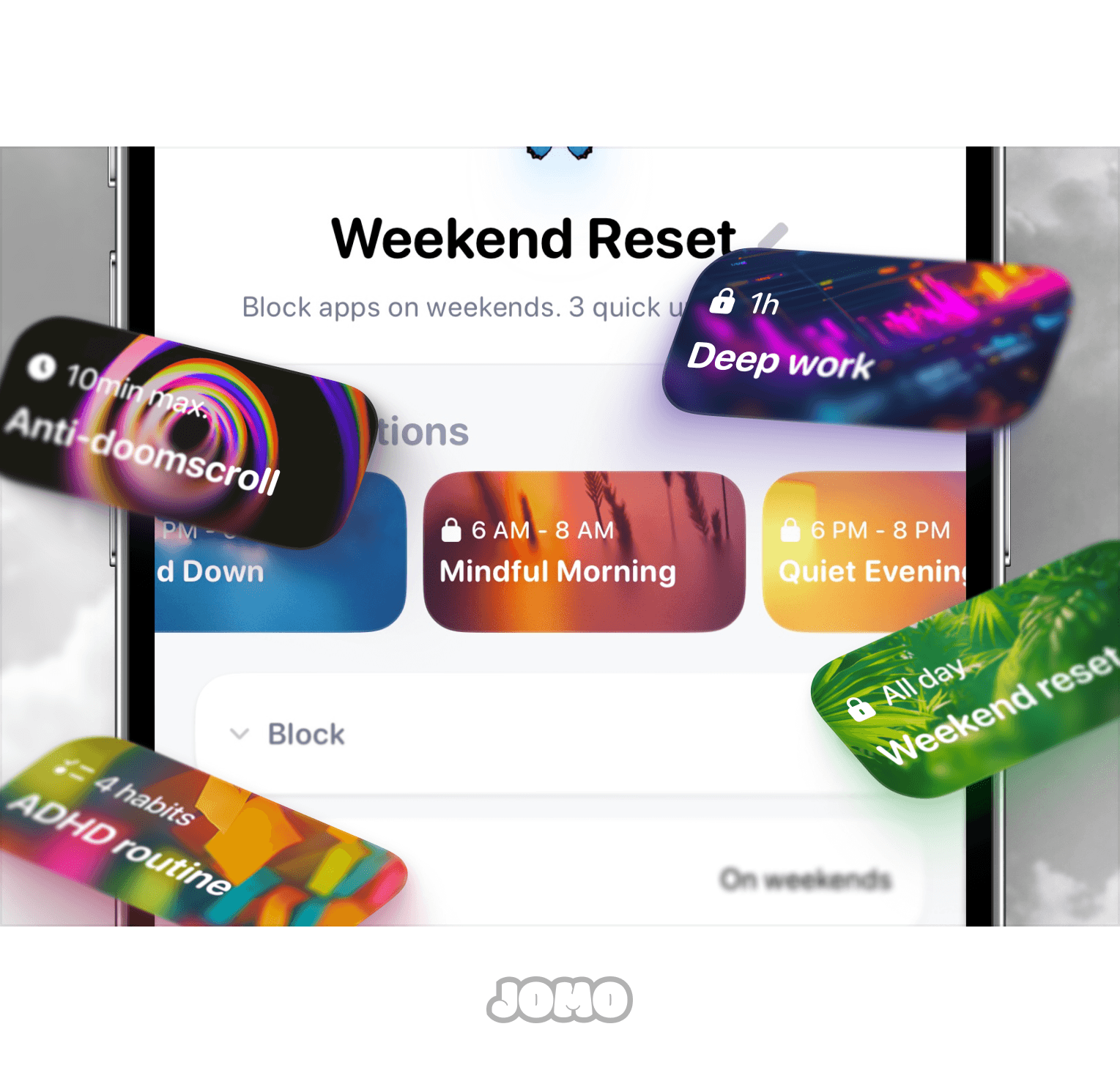
💭 Smart Suggestions
Blocking apps is one thing… But when? For how long? Which habits? It can feel overwhelming.
That’s why Jomo now helps you get started with Suggestions. Pre-configured rules you can set up in seconds (just pick your apps, we handle the rest).
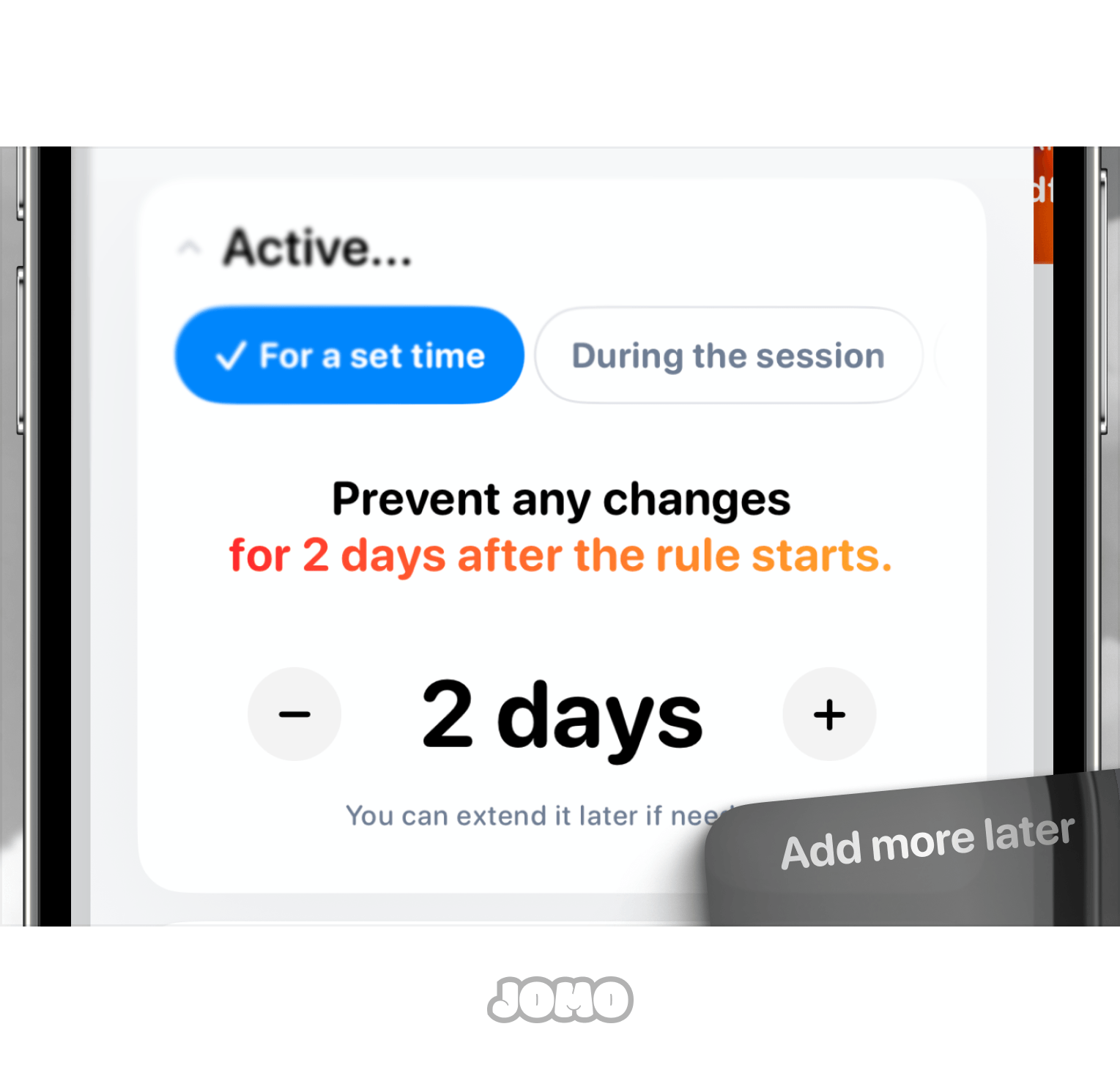
📛 Strict Mode, Simplified
Block. Everything. Now. Strict. …wait, what did I just do?
We’ve made Strict Mode much easier to understand and use. By default, you now lock your rules for a few days. Want more? Tap + Want less? Tap − This duration becomes your default (instead of “While blocking”, now replaced with clearer options like “During session” or “After limit is reached”).
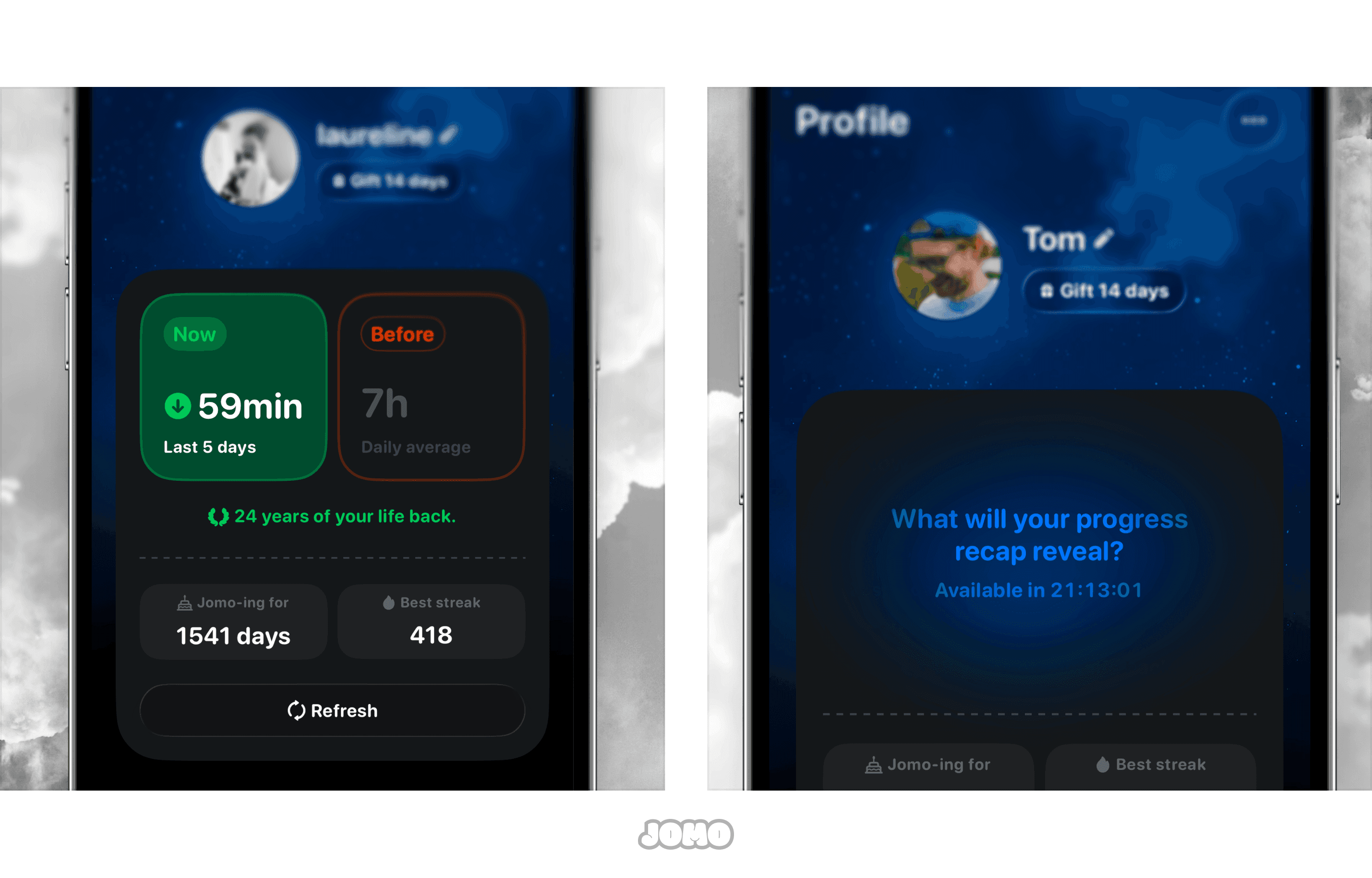
📉 A Refreshed Profile
The Profile tab… we’ve been rethinking it for over a year. Yes. A full year trying to figure out what actually motivates you. We rebuilt it from the ground up to make it cleaner and more meaningful.
You can now track your progress more easily, with less clutter. Your Jomo days and best streak are front and center (with more metrics coming soon). New users… you’ll need a bit of time before seeing all of this 🤫
✏️ Journaling, With Clearer Wording
When we launched this feature in 2023, we experimented a lot: “Is this beneficial?” “Did this make me happy?”… We’ve simplified it.
Now it’s straightforward: Was it distracting (time lost) or productive (time well spent)? Same flow, just clearer.
Tap Time well spent? and choose what fits best.
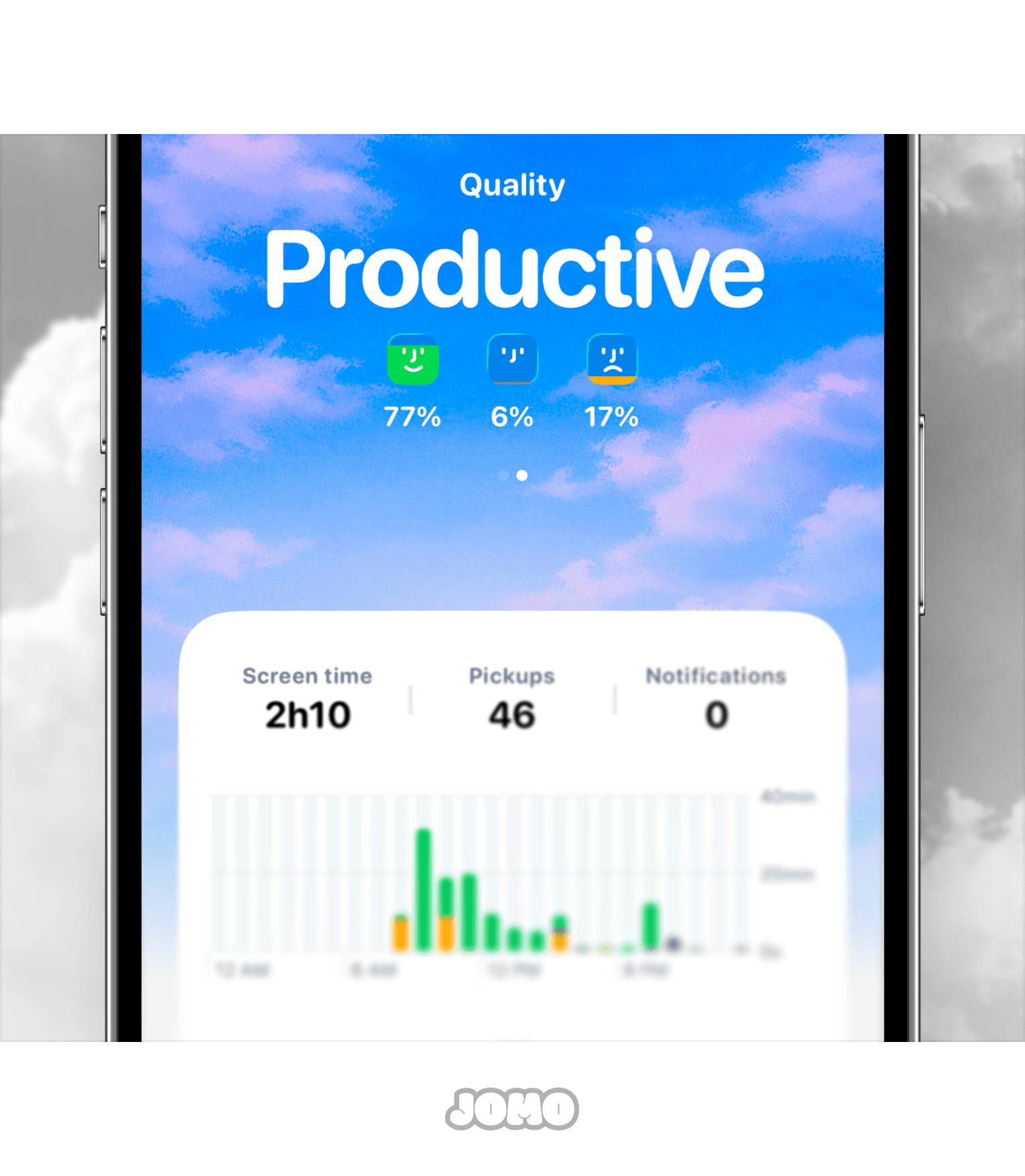
🔎 A New Way To Understand Your Screen Time
2 hours on YouTube… good or bad? 20 minutes on TikTok? 1 hour in emails… hmm.
Instead of guessing, you can now tap on the small bubbles in your report to get more context. We’ve added Hints to reflect (short insights to help you step back, understand your habits, and improve over time).
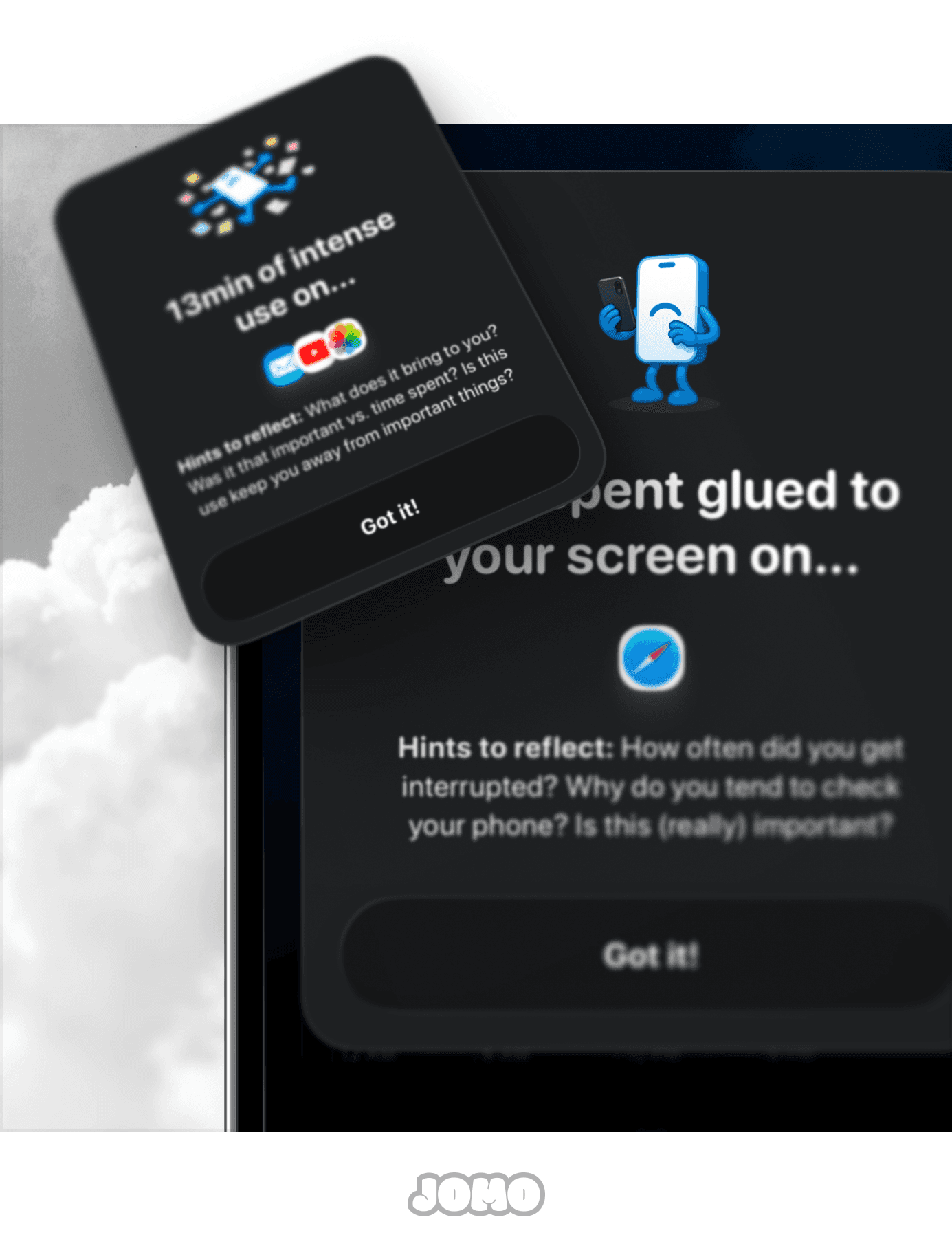
Bye bye … 👋
To make some of these improvements possible, we had to say goodbye to a few features (or move them when we could). As a result, some of your rules might have… slightly changed after the update.
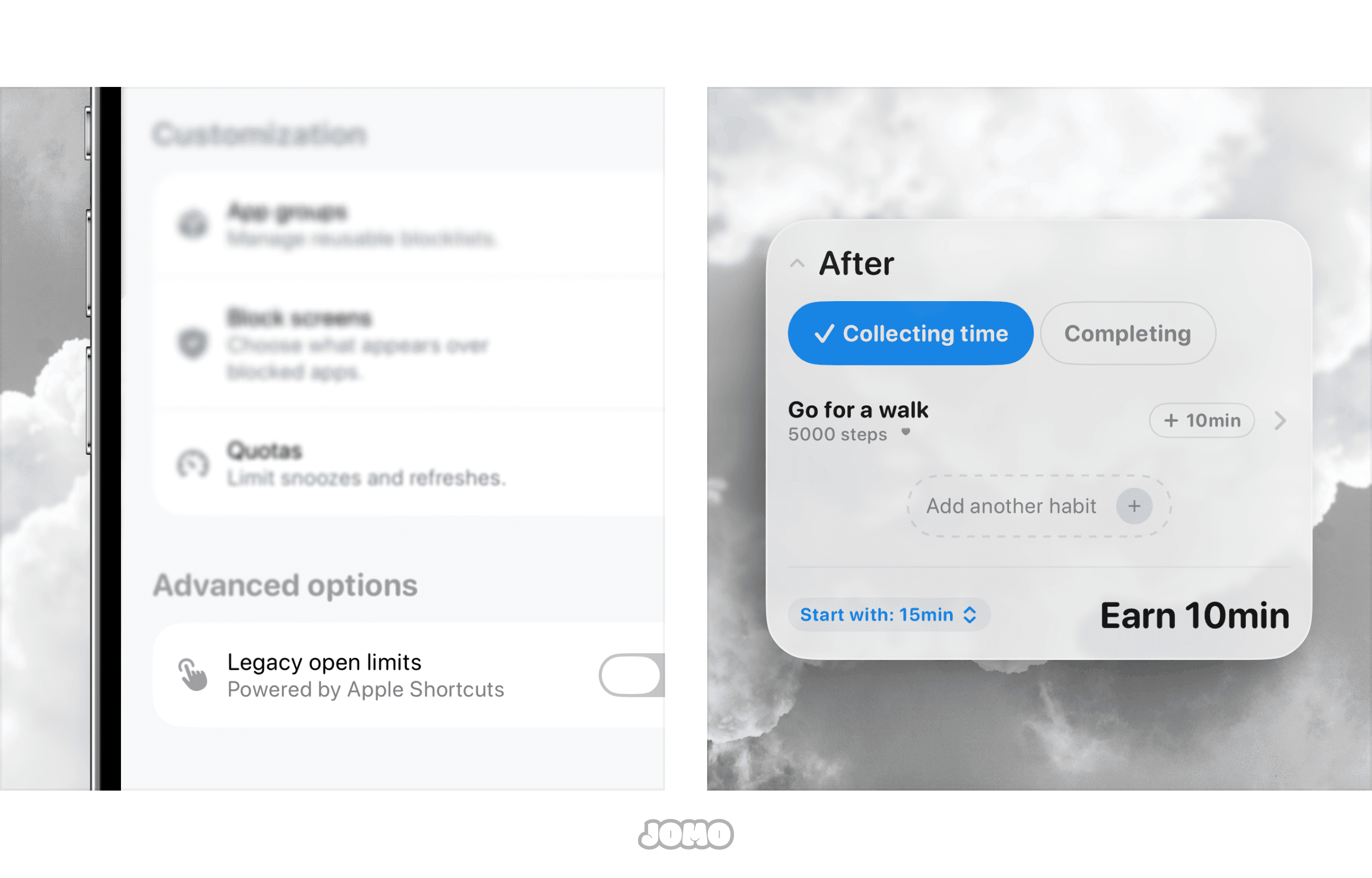
Open Limits are gone. Yes … they weren’t very effective and were quite complex to set up. That said, the option is still available in Advanced mode if you really want to keep using it, go to Rules ▸ … ▸ Legacy Open Limits.
Extra time on Limits has been removed. It wasn’t very clear, and after thinking it through, we decided to focus on Routines, which offer a better version of this concept. If you want to recreate a similar setup: create a Routine, set a base time after which apps are blocked, then add a habit like “Walk” and choose how much time it earns you. Same idea (just simpler and more flexible).
Phew… that’s a lot already. And honestly? That’s not even everything.
We also fixed a ton of bugs (from the really annoying ones to the… slightly less annoying ones). Huge thanks to our community 💙 Every bug report matters. Nothing gets ignored (everything is logged and fixed when we can). Thomas went through his massive Apple Notes list… and yeah, there were quite a few fixes in there.
🐛 Bug fixes
Fixed an issue with Limits to improve overall stability.
Improved how Limit cooldowns refresh to ensure they update correctly.
Improved the reliability of blocking.
Migrated existing Rules to the new system. Some rules may have changed category or been replaced.
Fixed “Additional options & Websites” on iOS 17–18 devices.
Various fixes around the blocking experience.
Various fixes to Strict Mode, including incorrect “Until date” values.
Improved screen time reports to reduce crashes.
Improved report display.
Improved and fixed transitions and animations in sheets.
Fixed several issues with widgets and missing assets.
Performance improvements for the new emojis.
***
So here we are.
When we started back in 2022, we made you a promise: to build a truly great screen time app. (Yeah… we’re not going to call ourselves the #1 screen time app…we’ll let you decide that.)
Today, we’re really proud to share our most complete version yet.
For some, it won’t be exactly what they hoped for. Maybe not enough, maybe not that feature… But behind this release are hundreds, if not thousands of hours of work.
We’re building all of this with our small brains, our small hands… and our very big hearts. We know things aren’t easy right now for a lot of people. We also know that with the rise of AI, some are selling big dreams, making it sound like anything is possible overnight.
That’s not us.
What we build is meant to genuinely help you. And for that, we just want to say thank you … truly. None of this would exist without you and your support. Every piece of feedback, every review, every subscription, it all means the world to us and helps keep Jomo alive. We hope we can give that back to you tenfold 💙
As always, take care of yourself, both mentally and physically. Scroll less and more intentionally. Don’t be afraid to embrace JOMO.
With love,
The Joy Of Missing Out Team ✨
F.A.Q
What happened to my existing rules after updating to 2.0?
What’s the difference between Locks and the old Use With Intention sessions?
Where did Extra Time on Limits go?
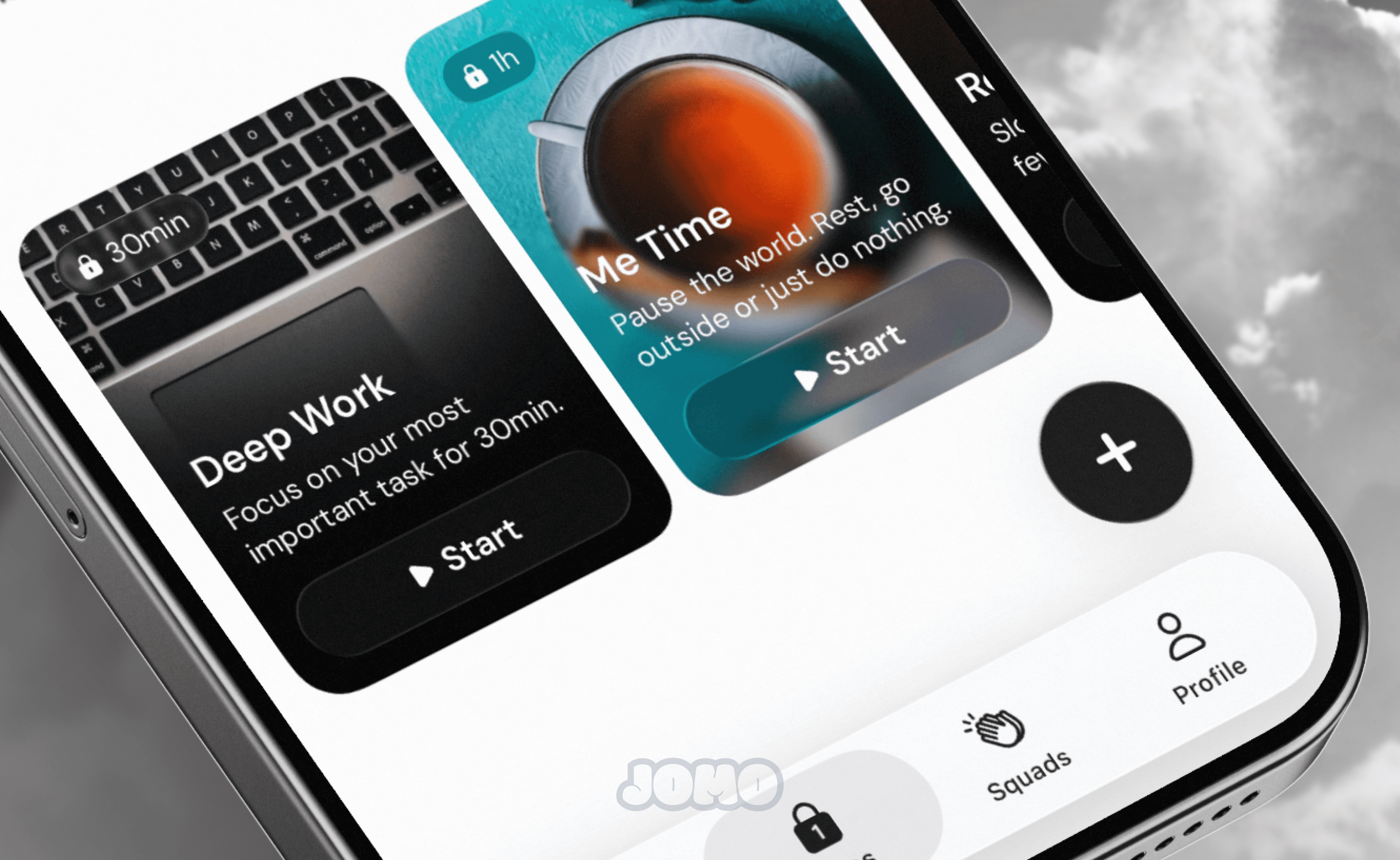
👀 Out of Ideas? Check Out Our New Templates!
We know that creating blocking rules from scratch can feel a bit intimidating… so we made things much simpler.
You can now browse a full gallery of ready-to-use templates. There’s something for every taste and mood. Whether you want to try different types of friction, disconnect at specific moments of the day, or choose your loved ones over your Instagram stories, we’ve got you covered!
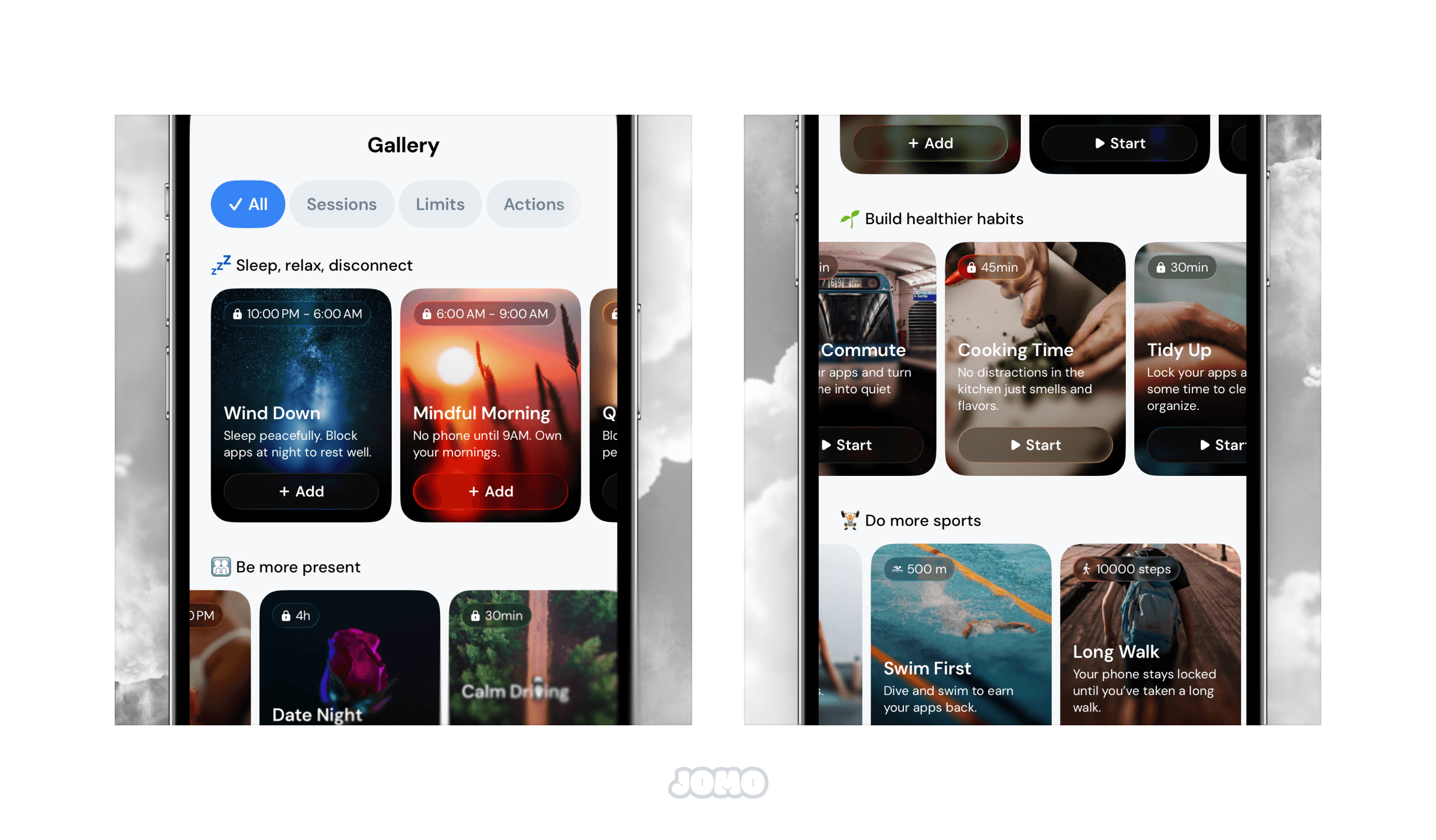
The best part? You can add any of them to your routine with a single tap.
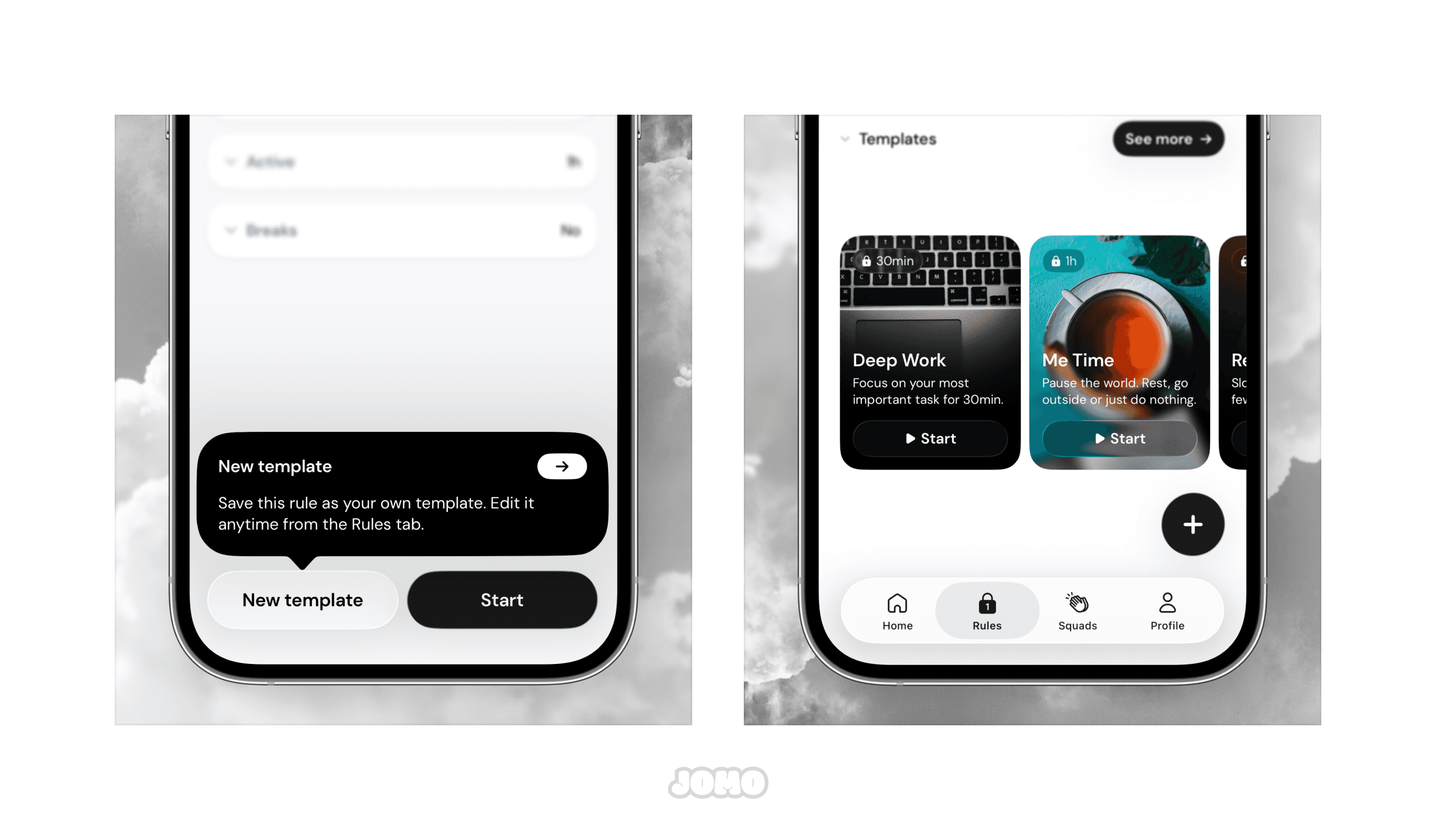
✨ Improvements in This Version
You’ll now see small tooltips on certain screens to make the app easier to navigate.
We’ve made several UI improvements and fixed the small bugs you reported.
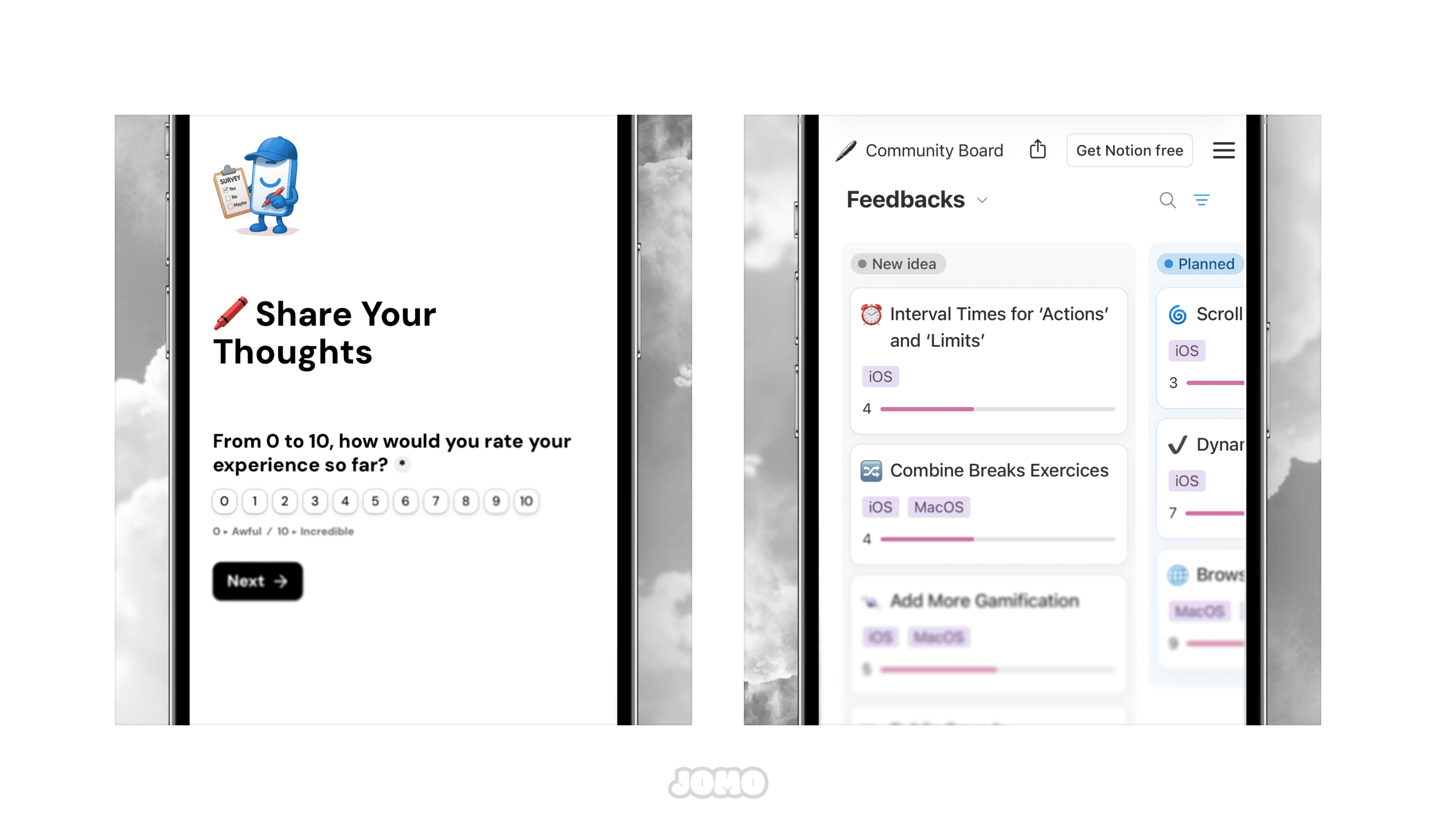
The feedback board is also evolving. From now on, instead of posting ideas directly in the public space, you’ll simply send them through a short form. This helps us keep things clear, avoid duplicates, and focus on what’s truly possible. And no stress — all the most popular ideas have already been moved to the new space!
🔗 New Feedback Board | 🔗 Submit an idea
🚀 What’s Next?
We’re continuously evolving Jomo to make it simpler, clearer, and even more enjoyable to use. Yes, Jomo can feel a bit complex at times, and we’re working hard to change that. Big improvements are planned for 2026, and we can’t wait to show you what’s coming.
Thanks again for your trust and support — it truly means the world to us! 🫡
F.A.Q
Where can I find these new templates?
Why can’t I submit ideas directly anymore?
How do you delete old templates?
🚩 Breaks Just Got an Upgrade
Warning: Updating to this version will reset your current breaks count to 0.
And finally, for the joy of our eyes, the old dated design for starting a break is gone—replaced with a brand-new experience. We poured a lot of energy into this redesign. We asked ourselves countless questions about the new look, and after months of work: here it is! And we can’t wait to hear what you think.
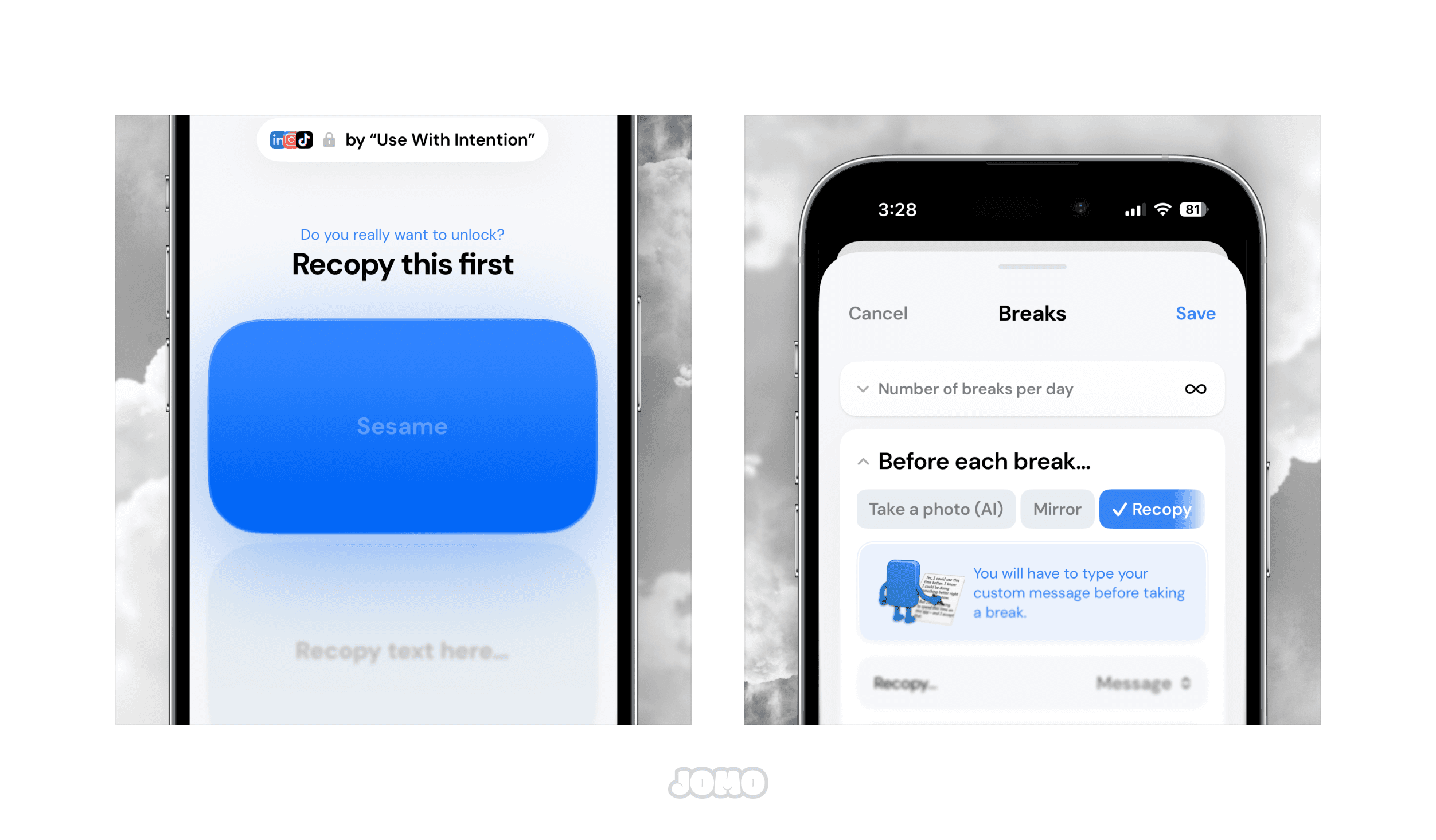
👀 New Exercises
Yes, a new design is great, but what really matters are the new exercises. We know some of you have been around for a while, and just like us, you may have grown a little tired of the old ones… But no worries—the team’s got you covered.
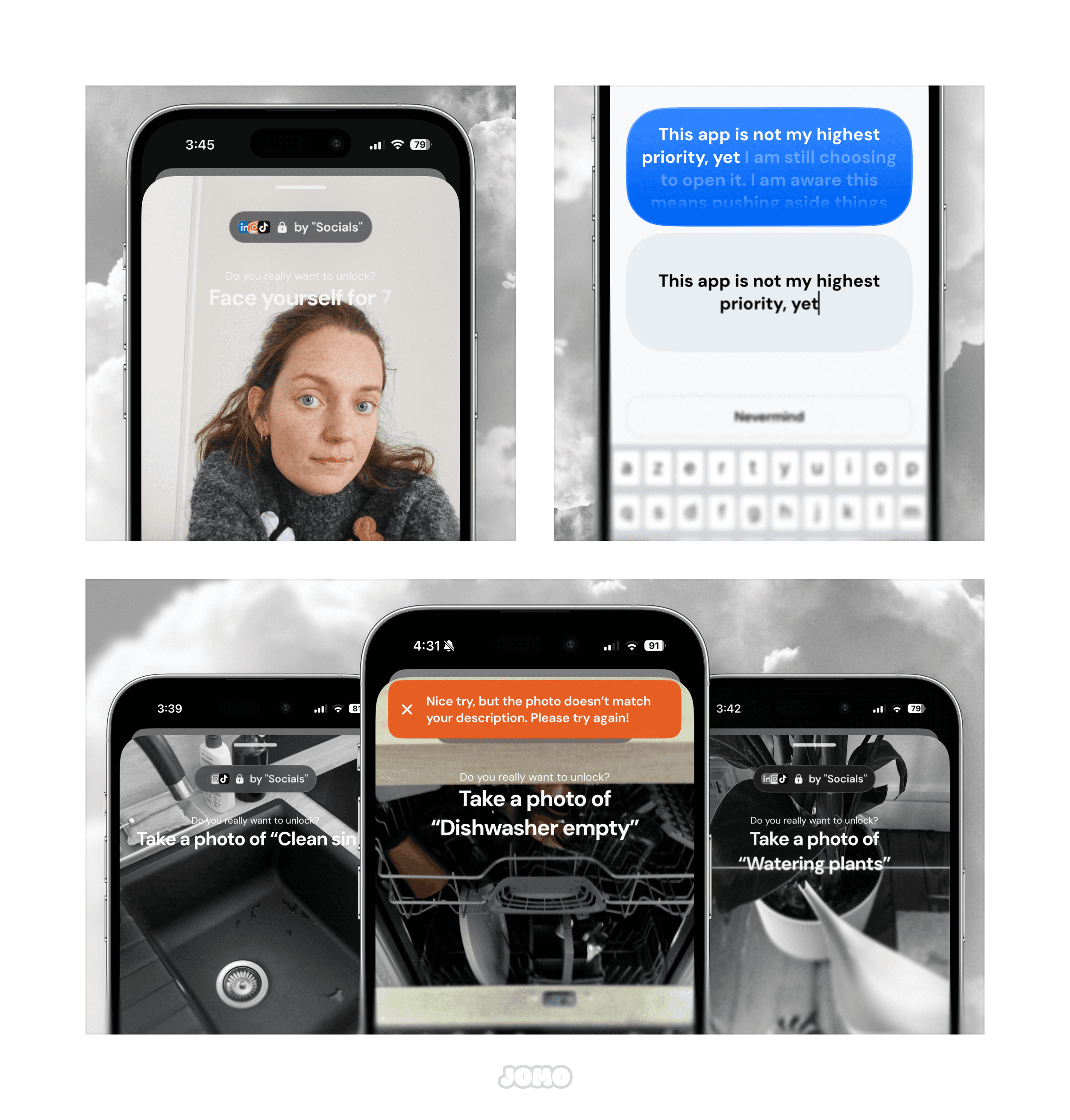
Mirror : Force yourself to look straight into your own eyes before unlocking an app. I swear, after 30 seconds the awkwardness really sets in. Honestly, you might start wondering if Instagram is even worth it.
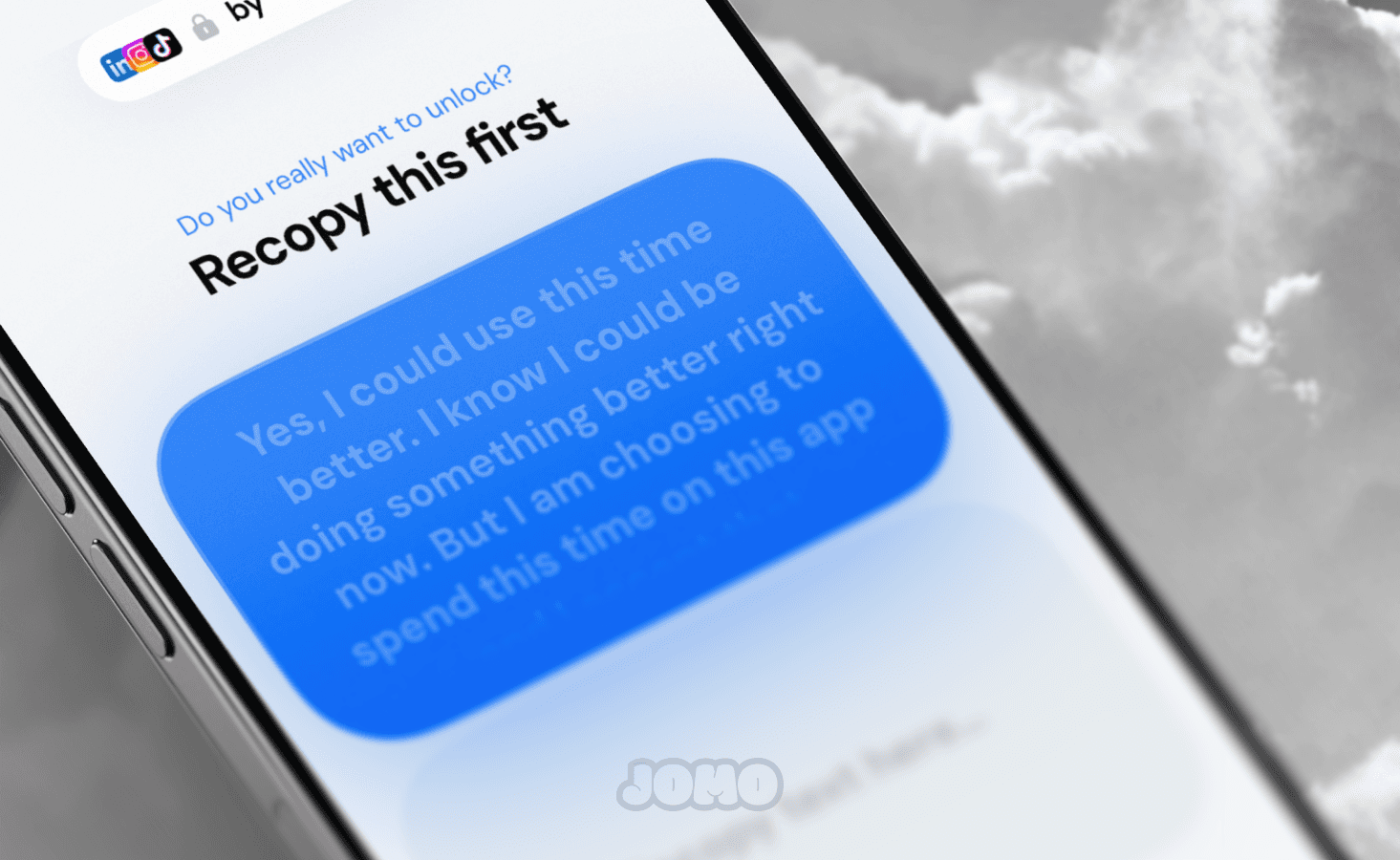
Recopy: You can now recopy personalized messages instead of a random code. We’ve written some default ones (and we put our heart into them). But if you don’t like them, no worries—you can write your own.
📱Breaks in the Dynamic Island
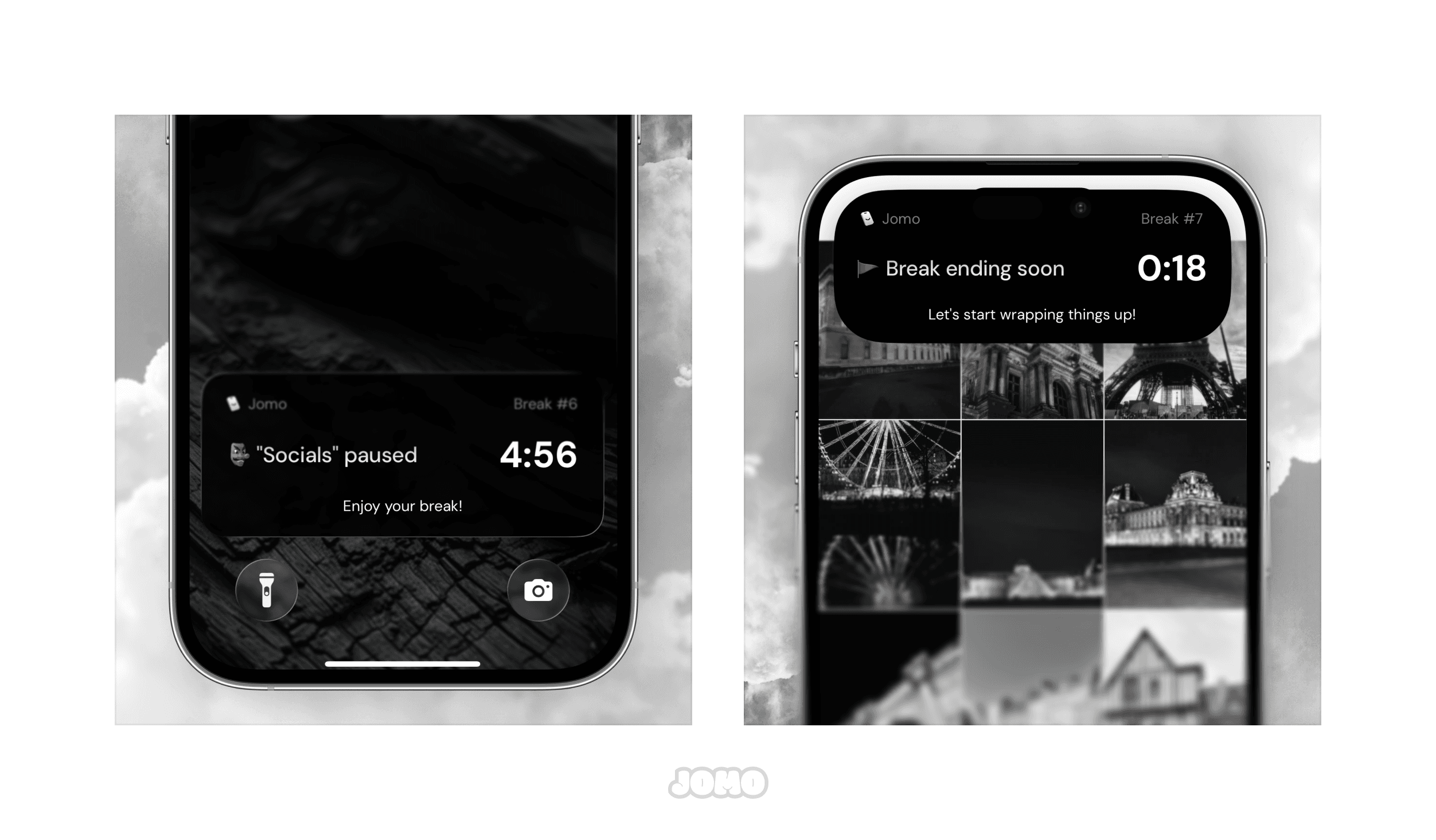
Nope, you’re not dreaming. We finally did it (two years after launch): your break timer now shows up in the Dynamic Island (that little black bar at the top) —stop, I might cry tears of joy. From now on, you can see how much time you’ve got left with just a quick glance. And 20 seconds before the end, you’ll get a gentle reminder!
🇵🇱 Jomo jest teraz dostępne po polsku
This version adds the Polish translation to Jomo. Huge thanks to Michał for reviewing it 🙏. As always, if your language isn’t available in Jomo yet, feel free to reach out directly from the app.
🚀 What’s Next?
We’re continuing to harmonize the app’s design and simplify the overall experience. We’re also working hard to fix Screen Time issues, reporting them to Apple (and crossing our fingers they’ll be addressed).
Thanks for your trust and support.
F.A.Q
How can I add the new Break exercises?
How does the “Picture AI” exercise work?
Can I add a custom message to the “Recopy Text” exercise?
🎁 Share Jomo & Get Rewarded!
Jomo now has a Referral Program (available in your Profile). Invite friends, family, or coworkers and earn rewards. Unlock exclusive app icons, and once you reach 25 friends, you’ll get Jomo Plus for free — forever. Yes, really. Your invitees also get a 14-day free trial of the Jomo Plus annual plan. Time to spoil your loved ones.
🗝️ To enter a code go to Profile ▸ Settings ▸ Enter referral code.
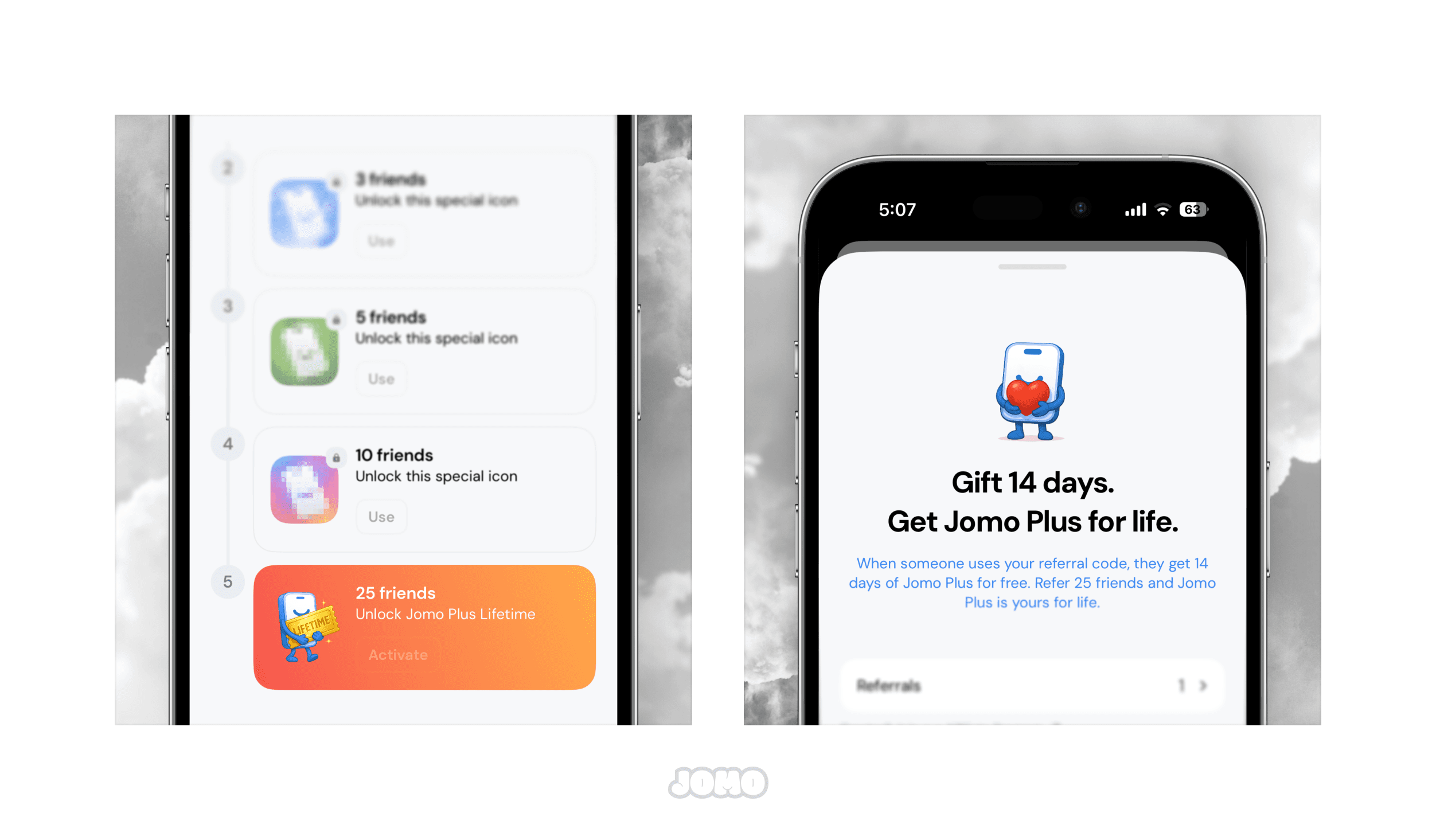
And of course, if you’re a content creator or influencer, we’ve got you covered too! You can turn the Referral Program into an Affiliate Program. For every person who uses your code and subscribes to the Jomo Plus annual plan, you’ll earn $5. (Full terms and conditions are available in the app.)
💭 Get Your Journal Ready!
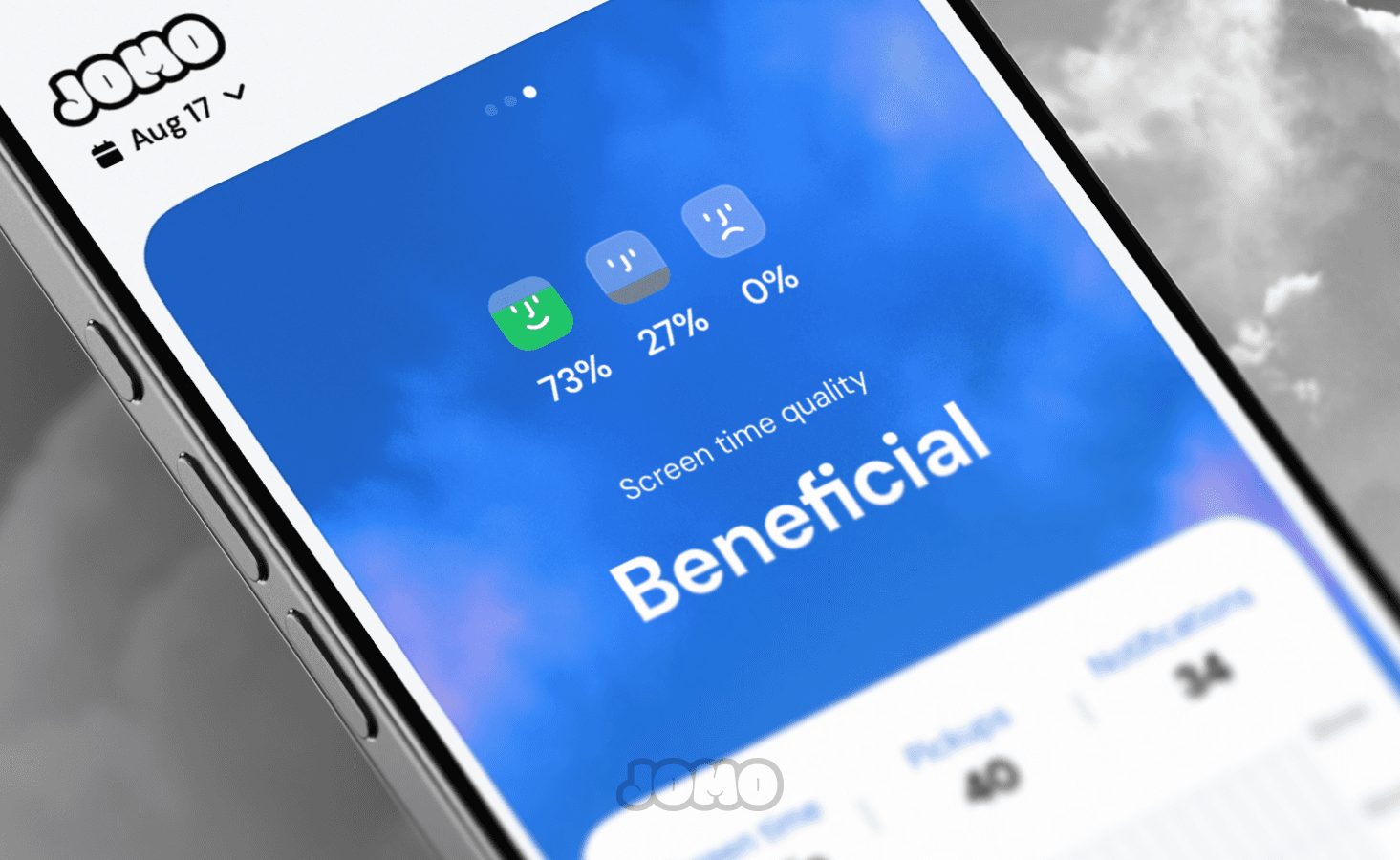
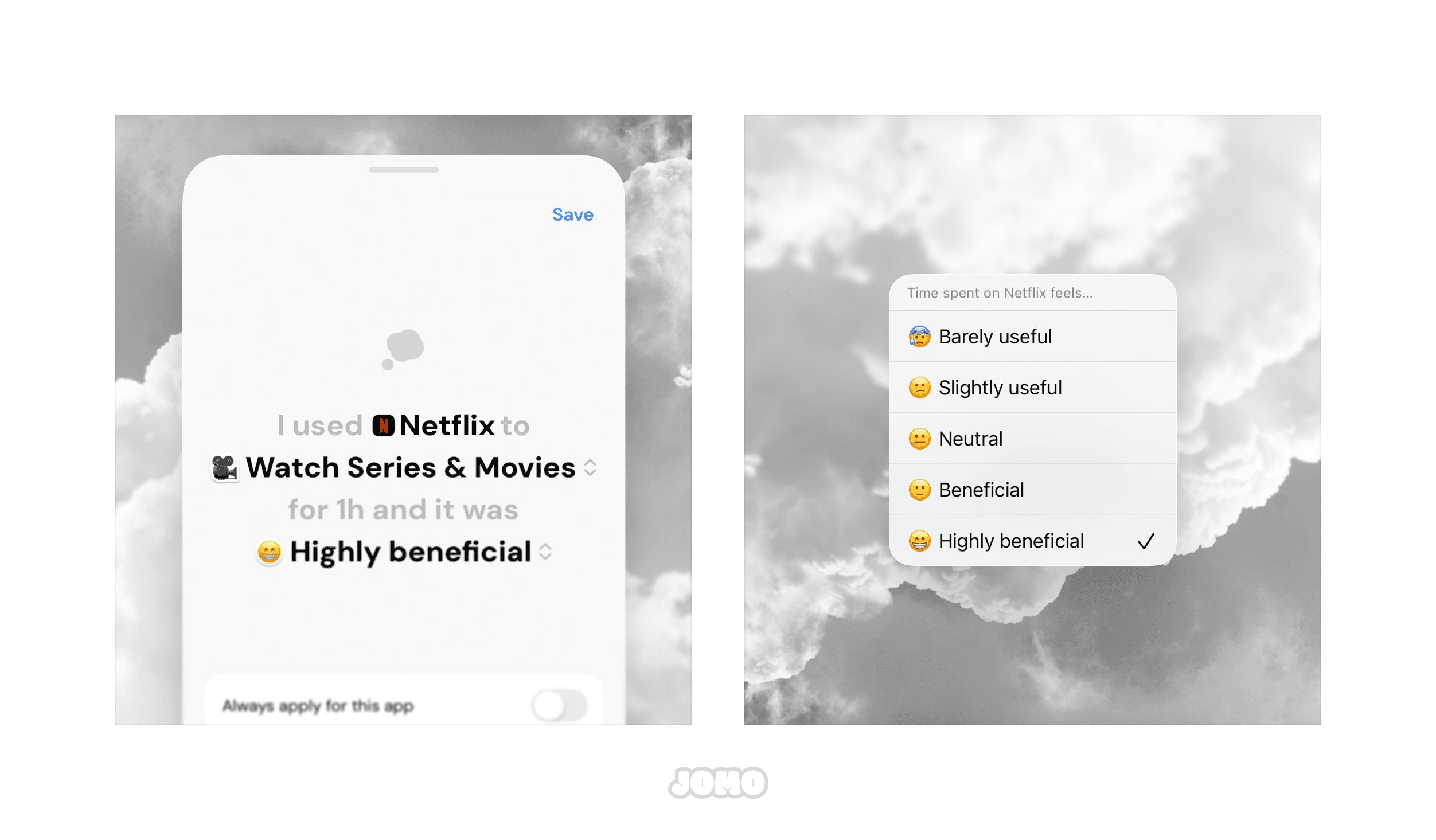
Journaling is one of our oldest features, but its design hadn’t been updated in… way too long. We gave it a fresh look (finally!) and also improved how it works. The old “Feeling” rating is now replaced with “Usefulness” — a less naïve view of screen time that gives you deeper insights into those abstract numbers.
✨ New: You can now exclude an app from your report just for the day (perfect if Screen Time data looks off).
🔒 New Actions on Rule Cards
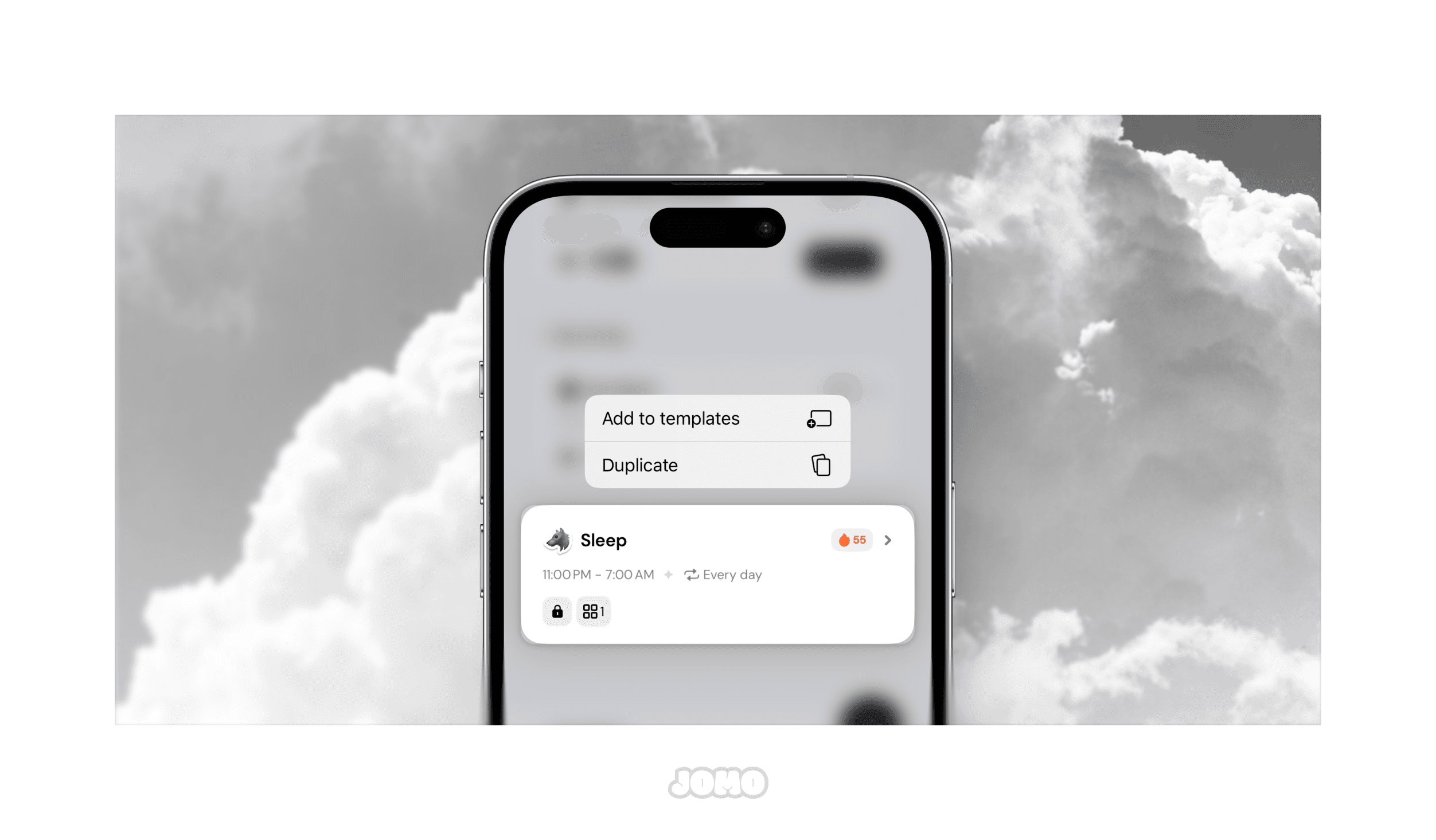
Accidentally added a rule instead of saving it as a template? Tired of rebuilding the same session from scratch when you could just duplicate it? Now you can. Just long-press on a card to duplicate it or quickly add it to your list of templates.
🐛 Bug Fixes in This Release
Safari: Website details are no longer displayed. Recent Screen Time bugs caused inaccurate reporting in Safari, so we removed the feature to keep things simple and accurate.
Screen Time: You’ll now see an error message in your report if corrupted data comes through. This makes it easier to understand and fix the report if needed.
🚀 What’s Next?
Two features we haven’t touched yet (we’ll let you guess which ones 👀) are also getting a fresh update. We can’t wait for you to try them soon.
We’ve also prioritized some of your most requested (and long-awaited) features — this fall is going to be packed!
As for the Mac app, we’ll soon start working on your feedback and requests there too. It’s about time it got a little polish as well.
So stay tuned!
F.A.Q
How can I share my code with friends and family?
How can I enter a friend’s code in Jomo?
Where can I find a referral code?