Unplug
5 min
How to Achieve Digital Minimalism on iPhone?
Maybe you have already heard of Digital Minimalism? And maybe you want to adopt this model for your iPhone? Well, you've come to the right place. In this article, our goal is clear: to transform your iPhone into a zone of peace and tranquility, free from distractions and invasive apps.

For those who are not yet experts on the subject, let us briefly introduce you to digital minimalism. It is an approach that involves using digital technologies intentionally and thoughtfully, focusing on what truly adds value to your life. The aim is to reduce excessive and compulsive use of digital devices, social media, and apps, and to refocus on what really matters.
But before we continue, it might be time for me to introduce myself! I’m Thomas, co-founder of Jomo. Over the last 4 years, I’ve spent most of my time thinking about screen time habits and building an app that’s used by more than 250,000 people.
Based on our most recent 100,000 users, the average Jomo user reduces their daily screen time by about 1 hour and 39 minutes. Not because they suddenly gain superhuman willpower, but because they change a few small habits that make mindless scrolling harder and intentional phone use easier.

Art by Amino
Principles of Digital Minimalism
Intentional use: Deliberately choose digital tools that truly serve your personal and professional goals, rather than being driven by habits or social pressures.
Prioritize quality: Focus on digital interactions that enrich our lives, whether through learning, authentic connections, or creativity.
Digital Decluttering: Reduce digital noise by getting rid of unnecessary apps, notifications, and subscriptions that capture your attention without adding real value.
Take regular breaks: Step away from screens frequently to encourage face-to-face interactions, contemplation, and relaxation.
Digital minimalism doesn't mean completely giving up technology, but rather using it more wisely to enrich our lives instead of complicating them. It's an invitation to regain control of your time and attention in an increasingly connected world.

Transform your iPhone and embrace Digital Minimalism
Naturally, transitioning from everything to nothing will require some effort on your part. But rest assured, we're here to support you through these different stages and processes. So, if needed, feel free to bookmark this article and come back later, or share it with your loved ones! As the saying goes: "Alone we go faster, but together we go further!"
🔎 Step 1: Audit Your Apps
First, you'll need to clean up the apps installed on your phone. To do this, we'll categorize them into three main groups: useless, useful, and essential. Unsurprisingly, you can delete all the "useless" apps. In the worst-case scenario, you can use their web versions or reinstall them temporarily if needed in the future.
Next, for the "Useful" apps, you can group them into folders by category, but it's not necessary. With the iPhone, you can simply remove them from your home screen, and they will automatically be organized into pre-created folders by Apple on the last screen.
The rest can be arranged on your home screen and dock. Keep in mind that essential apps usually include banking, messages, phone, settings, etc. The goal isn't to keep them all, but to sort through them, so you'll end up parting with many of your apps!
🧹 Step 2: Organize Your Home Screen
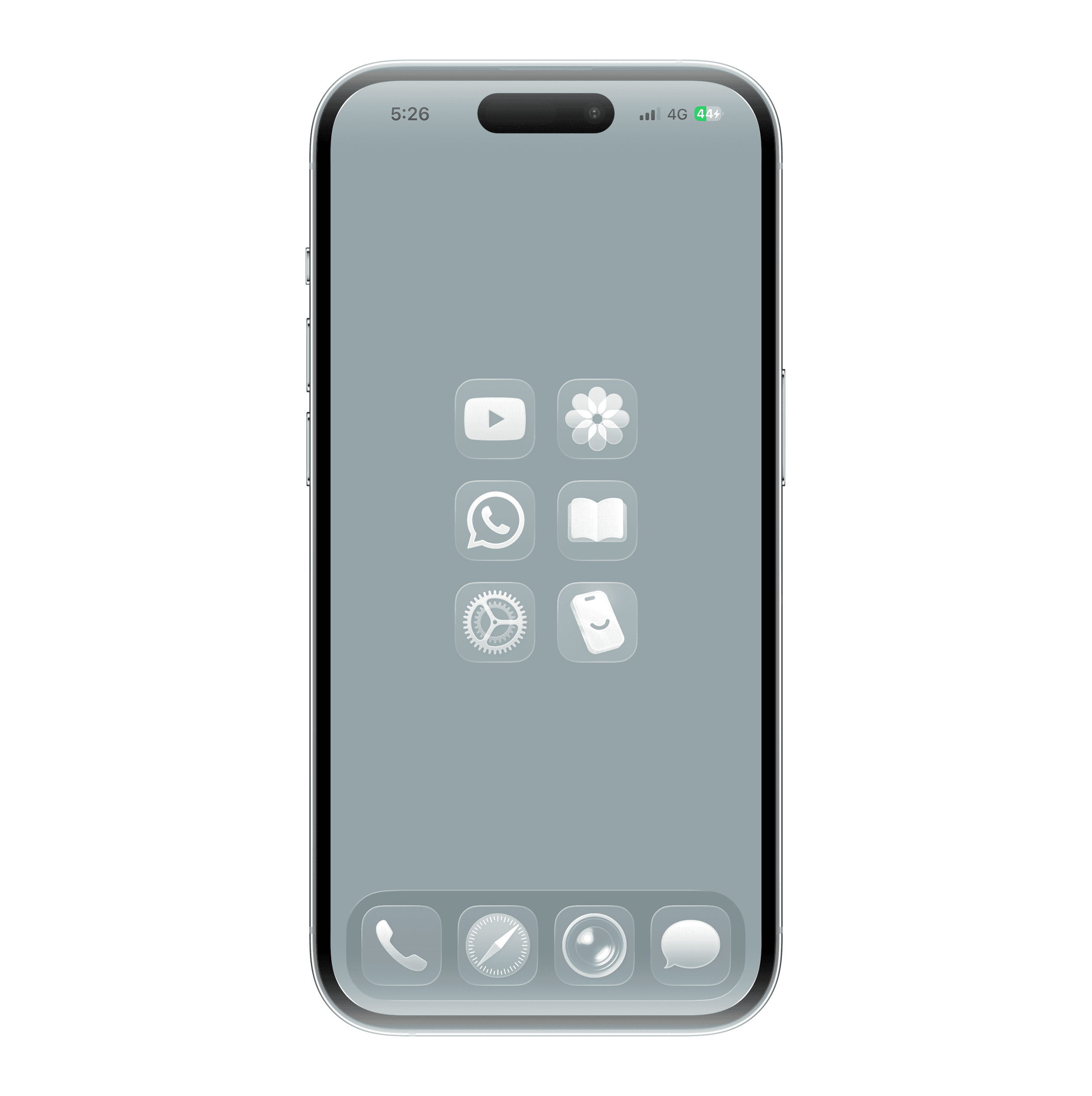
To avoid having a cluttered space, it's best to create groups according to the types of apps you have left. For example, a "Communication" folder where you can organize Messages, Phone, etc. This quickly tidies up your home screen and prevents visual (and mental!) overload.
You can also use dynamic widgets to create shortcuts to your apps without having to place the icon. This is especially useful if only a part of the app interests you.
🔕 Step 3: Limit Notifications
Notifications are anti-minimalist. You'll need to not only sort through them but also change how you consume content.
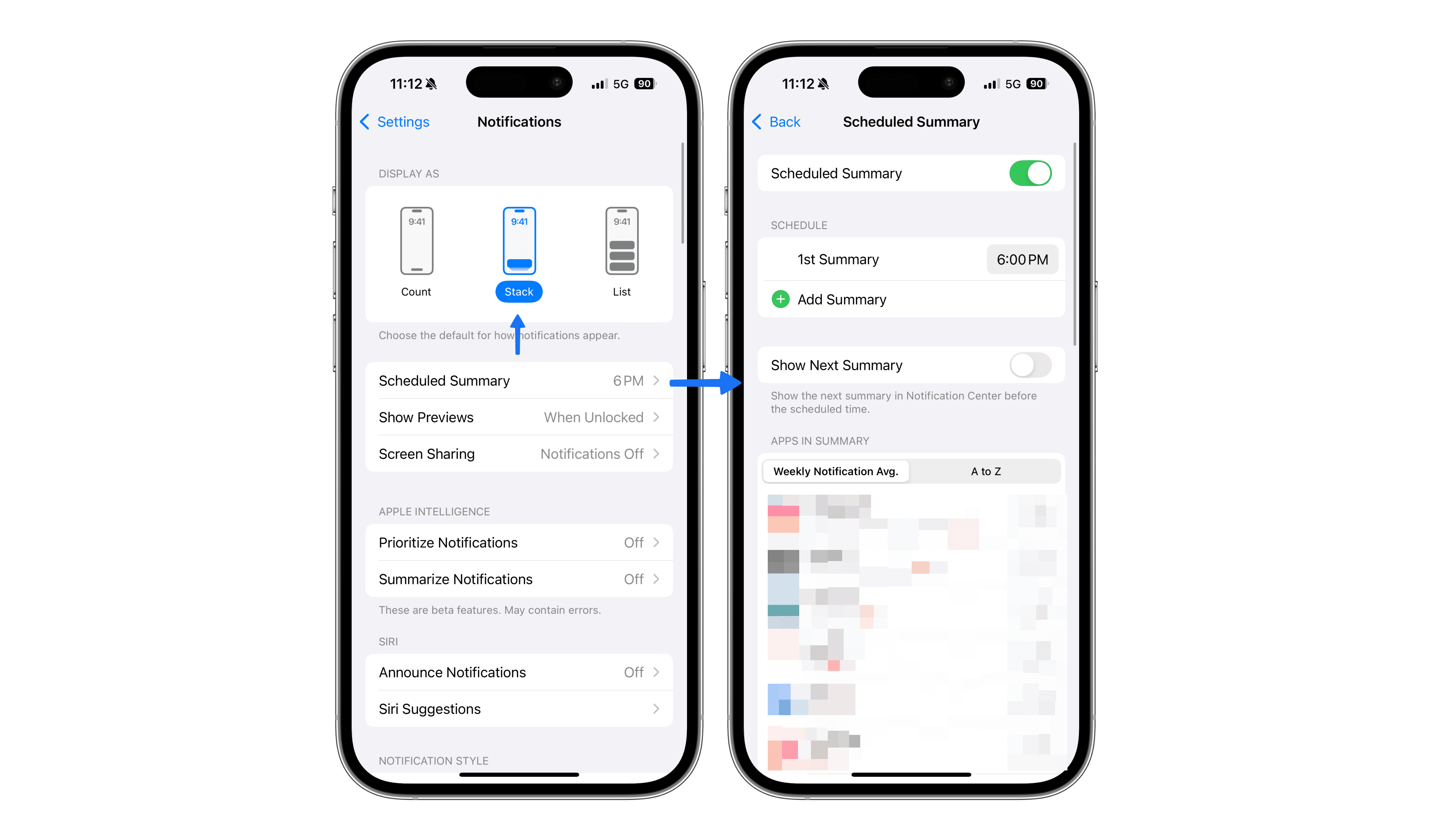
To do this, go to Settings > Notifications.
First, it's recommended to choose "Stack" in the "Display As" section. This groups notifications by app, preventing you from having 3,505 billion notifications. You'll have a single, more convenient group!
Secondly, you can create a "Scheduled Summary." This allows you to group all notifications, hide them, and display them only at a specific time on your phone. It's an excellent way to avoid being disturbed every time a notification arrives and instead be notified just once (or several times according to your preferences)!
📱 Step 4: Track Screen Time
To avoid spending too much time on your phone, you’ll need not only to monitor your usage but also to control it. For that, you can use Screen Time, available on all iPhones. However, since it's somewhat limited, we suggest the third-party app Jomo, available for free on iPhone, iPad, and Mac.
Being a minimalist is all about focusing on "few things," but "good things" that genuinely add value. We're convinced that certain services are essential to our daily lives, that we can't live without them. But is that true, or is it just a marketing idea implanted in your mind by consumer society? It's not easy to ask yourself these questions!
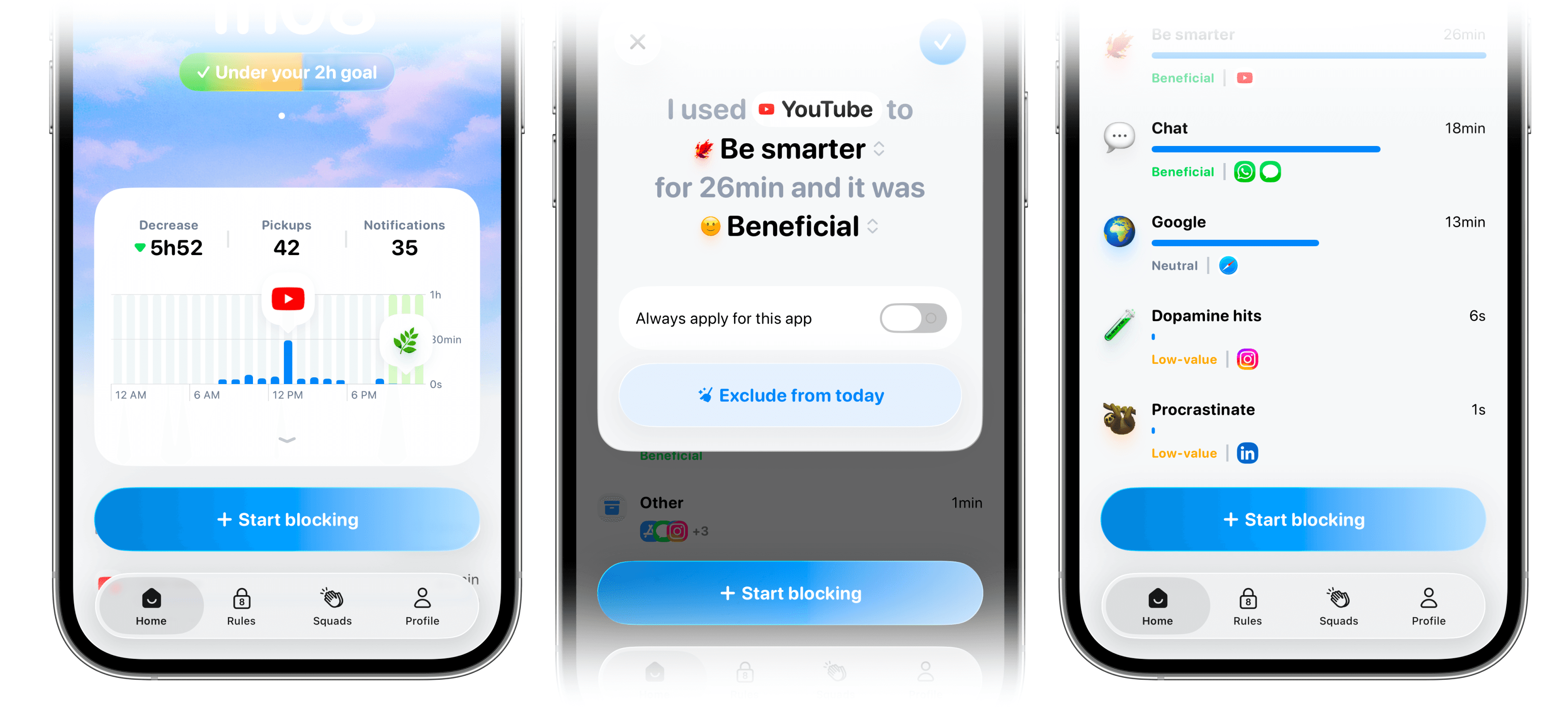
You can use Jomo's Journaling feature for this. On each app, you can add a feeling (negative, positive, neutral) and an activity. Make an effort to do a quick review every evening for a week. Soon, you'll identify which apps are truly essential versus those that are just a waste of time. Finally, you'll have a clear view of both the time spent and what it brings you. An excellent way to become more minimalist while maintaining your lifestyle!
🪷 Step 5: Mindful App Usage
Every time you open an app, are you really aware of it? Do you remember each time you use it? If the answer is no, it's time to become more mindful of your phone use.
Many of us use our phones out of habit. How many times do you unlock your phone without even thinking? How often do you find yourself on Instagram? How many times have you realized that you've already spent 30 minutes there? These services have become ingrained habits, almost like reflexes. If I throw you an apple, your reflex is to catch it, right? Social media has become that reflexive response to boredom. It’s become our natural reaction. And that’s a problem.
To become more minimalist, it's essential to bring more awareness into your actions. To achieve this, the best approach is to block your apps by default, preventing you from mindlessly diving into them and instead asking yourself, "Do I really need this?" With Jomo, you can continuously block your apps, allowing only a few uses per day. But first, you'll need to specify the reason(s) you want to use the app and for how long!
At first, it may be surprising and a bit frustrating, but once you see how many hours of your life you’ll get back… you’ll never want to go back.

Art by Dona Mara
🚨 Step 6 : Stay Informed, Not Overwhelmed
This ties in with the previous point: consuming is fine, but in moderation. And most importantly, when you choose to, not otherwise. Today, it’s easy to feel overwhelmed by the constant stream of information we're exposed to daily.
"Scientists have measured the amount of data that enter the brain and found that an average person living today processes as much as 74 GB in information a day (that is as much as watching 16 movies), through TV, computers, cell phones, tablets, billboards, and many other gadgets. Every year it is about 5% more than the previous year. Only 500 years ago, 74 GB of information would be what a highly educated person consumed in a lifetime, through books and stories." — Frontiers for Young Mind
If you thought you could handle it, it's mostly an illusion. The brain hasn't evolved; it has adapted. But for how long? How much can it withstand? Before you find out, it's better to take action and avoid burnout.
To stay informed and continue expanding your knowledge, there are several techniques you can develop:
Newsletters: They are perfect for consuming content at a slower pace. You decide when, where, and if you want to know what it contains. You can take your time. Your reading speed sets the rhythm, not videos with rapid cuts and aggressive subtitles. Additionally, the information is often digested, commented on, and analyzed, which helps you avoid the exhausting "breaking news" cycle.
RSS feeds: Have no idea what that is? Well, many news sites and blogs have an RSS feed. It allows you to get the latest content you want without being overwhelmed by their overstimulating homepage. You receive it through an aggregator (there are plenty of great ones), and once again, you decide when you want to check them.
Monthly or weekly newspapers: You don’t need real-time news, right? The key is to be informed, isn't it? It's better to wait until there's enough information, enough details before diving into the content. No need for an update every five minutes... So, read newspapers that take the time to investigate before commenting; it's always more interesting!
Resist FOMO: You don’t need to know everything about everything, watch the latest trending series, or have an opinion on every topic. Sometimes, not knowing is a luxury! First, it allows you to have real conversations. Since you don’t know everything, it’s an opportunity to learn from others. Second, it gives you a sense of vulnerability: you’re not an expert on everything, and others can teach you things, which is often greatly appreciated. Lastly, not everything deserves your attention. So before you exhaust yourself by consuming content just because everyone else has, think selfishly: do I really enjoy this? For example, we still haven’t watched House of the Dragons... and so what?
The Takeaway 🍔
Here we are, finally at the end of the article. We hope these few tips will help you develop a more minimalist relationship with digital technology. If you need to revisit it, don’t hesitate to bookmark this article or share it with others. In the meantime, if there's one thing to remember: it's up to you to take control, not society or technology dictating the pace!